


7 Best B550 Motherboards in 2026 | Price in India & Deals

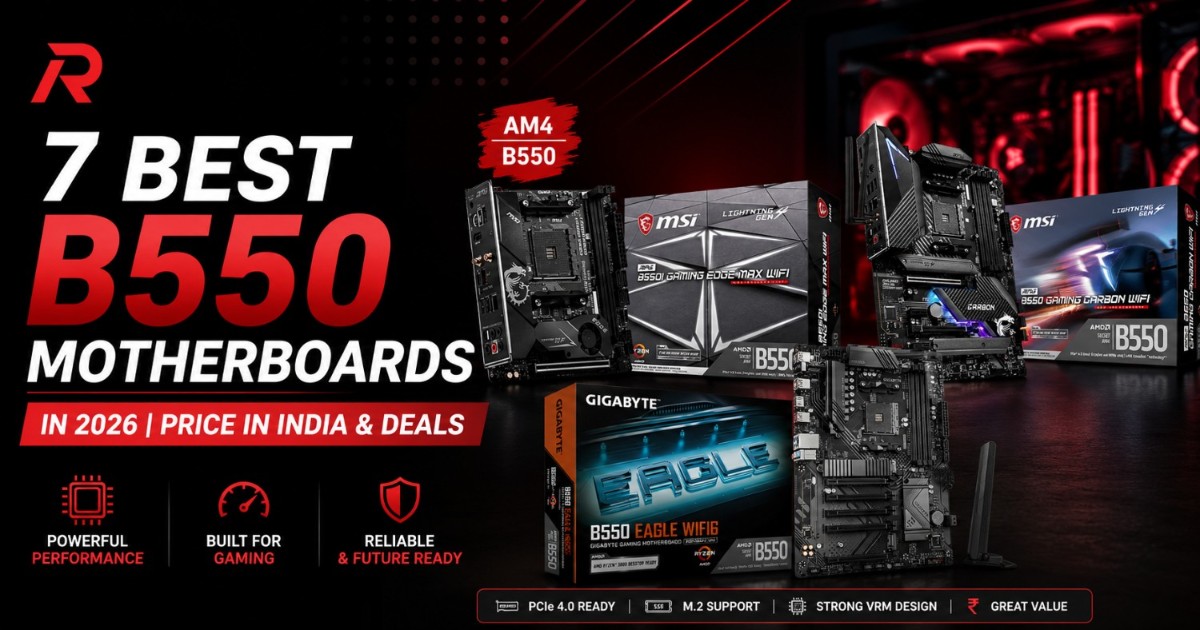
If you're comparing B550 motherboards to find the best B550 motherboard price in India before finalizing a Ryzen build, the range on offer is wider than most people expect. B550 motherboard price in India currently runs from around eight thousand rupees for a bare micro-ATX board up to nearly thirty thousand for a Wi-Fi 6E mini-ITX option, and the difference between those two isn't just size or RGB lighting. Pricing out several B550 boards for builds at our own store, the thing shoppers get wrong most often about B550 motherboard price in India is assuming a cheap board and an expensive one behave the same way once you drop in the same CPU. They don't, once VRM quality, PCIe 4.0 support, and built-in Wi-Fi enter the picture.
This guide ranks the best B550 motherboards on the market against real B550 motherboard price in India numbers pulled from current listings, not estimates, plus a section on how to close in on the lowest B550 motherboard price in India for whichever board you pick. If you already know your budget, jump straight to the ranked list below. If you're still deciding between B550 and the older B450 chipset, that comparison comes right before the buying tips.
Quick answer: the 7 best B550 motherboards at a glance
| Rank | Motherboard | Form factor | Price in India | Wi-Fi | Best for |
|---|---|---|---|---|---|
| 1 | Gigabyte B550M DS3H | Micro-ATX | ₹8,299 | No | Budget builds |
| 2 | Gigabyte B550 UD AC Gaming | ATX | ₹12,390 | No | Mid-range all-rounder |
| 3 | ASRock B550 Steel Legend | ATX | ₹13,916 | No (M.2 slot for add-on) | Overclocking, Ryzen 5/7 |
| 4 | Gigabyte B550 Eagle WiFi6 | ATX | ₹13,945 | Yes (Wi-Fi 6) | Wireless on a budget |
| 5 | ASUS ROG Strix B550-F Gaming WiFi | ATX | ₹20,650 | Yes (Wi-Fi 6 + BT 5.1) | Premium all-rounder |
| 6 | MSI MPG B550 Gaming Carbon WiFi | ATX | ₹29,999 | Yes | High-end AM4 build |
| 7 | MSI MPG B550I Gaming Edge Max | Mini-ITX | ₹29,999 | Yes (Wi-Fi 6E + BT 5.2) | Compact, small-form-factor builds |
The 7 best B550 motherboards, ranked
Gigabyte B550M DS3H: best budget pick
At ₹8,299, the B550M DS3H is the board most budget Ryzen builds land on, and it doesn't cut corners in the places that matter for everyday use. It's a micro-ATX board with four DDR4 slots (up to 128GB), a PCIe 4.0 x16 graphics slot, and dual M.2 storage.
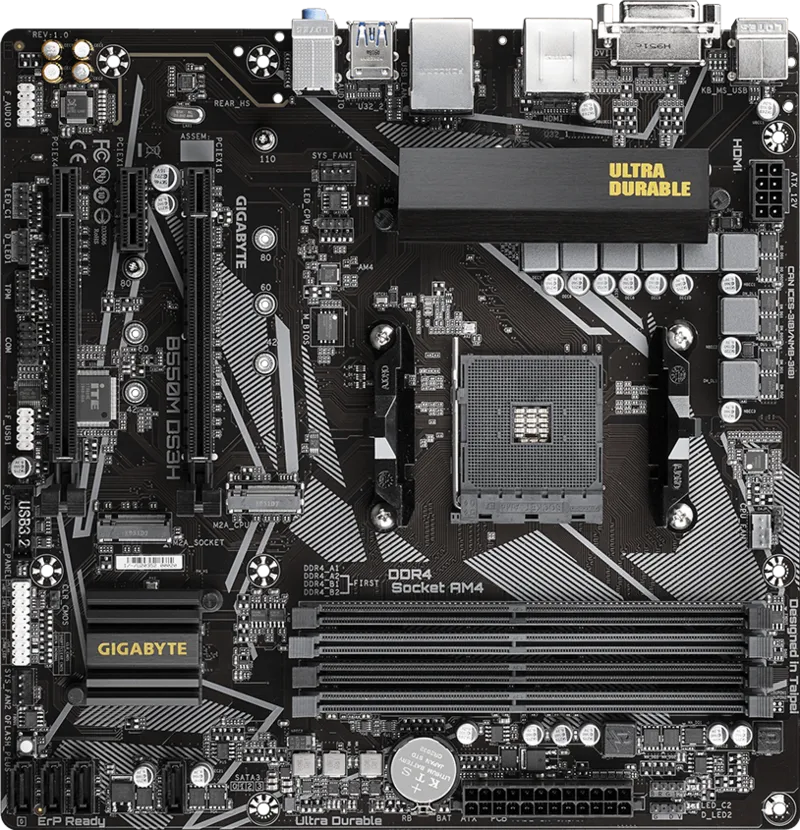
- 4x DDR4 DIMM slots, up to 128GB
- PCIe 4.0 x16 graphics slot, dual M.2 (one Gen4/Gen3)
- 4x SATA 6Gb/s, Realtek Gigabit LAN (no built-in Wi-Fi)
- Q-Flash Plus lets you update the BIOS without a CPU installed, useful if you're buying a Ryzen 5000 chip that needs a newer BIOS
Gigabyte B550 UD AC Gaming: best mid-range all-rounder
At ₹12,390, this sits between the budget micro-ATX boards and the premium Wi-Fi options, giving you a full ATX layout with more expansion room than the DS3H without paying for wireless you may not need.
- ATX form factor, 10+3 phase digital twin power design
- PCIe 4.0 x16 slot, dual PCIe 4.0/3.0 M.2 storage
- Front USB Type-C, RGB Fusion 2.0, Q-Flash Plus
ASRock B550 Steel Legend: best for overclocking and Ryzen 5/7 builds
At ₹13,916, the Steel Legend is priced close to the Wi-Fi options in this list but skips wireless entirely in favor of a stronger 14-phase power design, which matters if you're planning to run a Ryzen 7 or Ryzen 9 chip and push it hard.
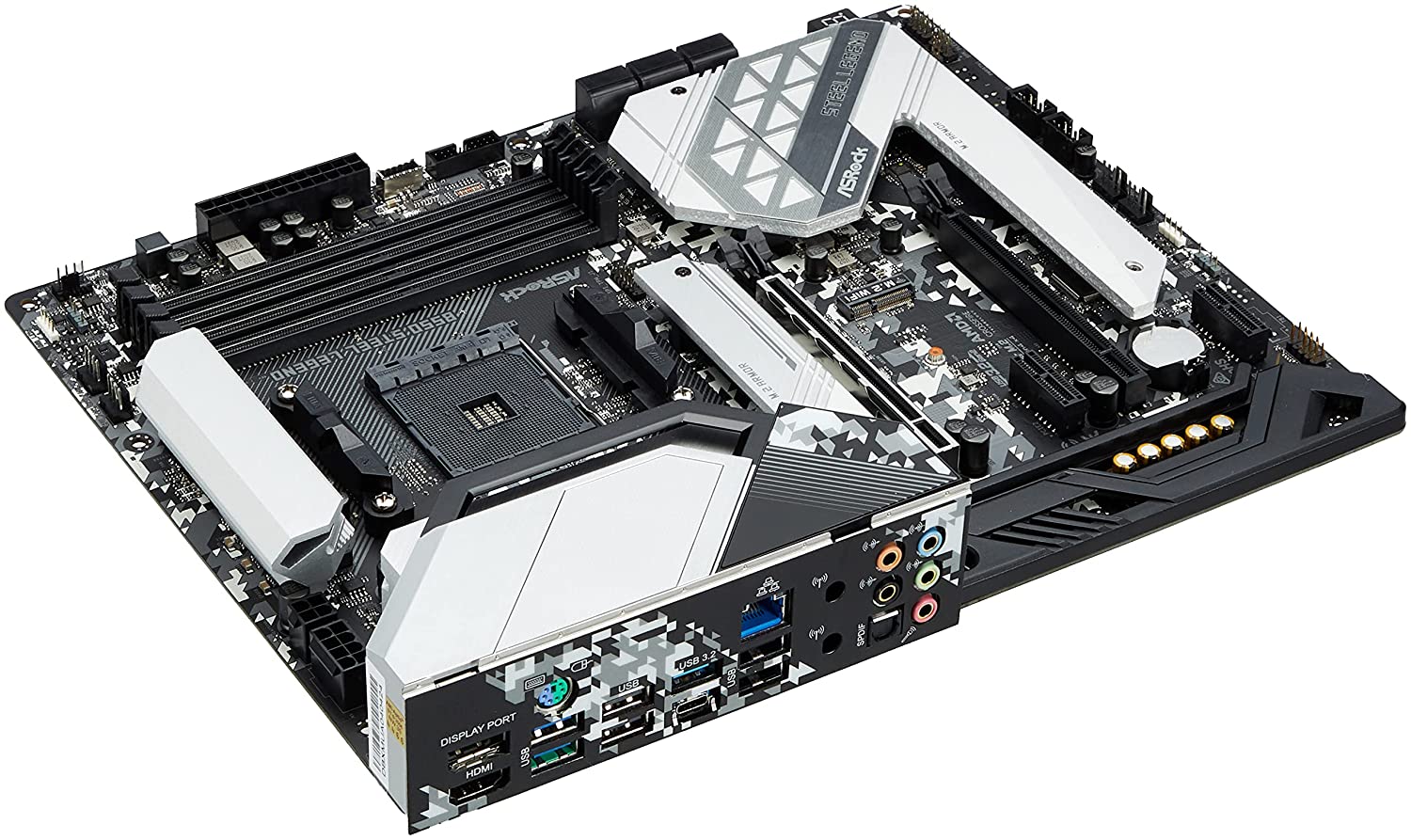
- ATX form factor, 14-phase Dr. MOS power design
- PCIe 4.0 x16 (reinforced slot) plus a Hyper M.2 Gen4 slot
- 6x SATA, 2.5G LAN, no built-in Wi-Fi (empty M.2 Key E slot for an add-on module)
- Some early-stock units need a BIOS update before they'll recognize a Ryzen 5 5600, so flash the latest BIOS first if you're buying from older inventory or a used listing
Gigabyte B550 Eagle WiFi6: best budget Wi-Fi pick
At ₹13,945, this board costs almost exactly the same as the Steel Legend above but adds built-in Wi-Fi 6, making it the better pick if wireless matters more to you than the Steel Legend's stronger power delivery.
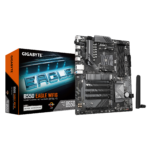
- ATX form factor with Wi-Fi 6 built in
- Ryzen 5000/4000/3000 support, DDR4, 10+3 power phase design
- Dual M.2 (PCIe 4.0), PCIe EZ-Latch, PCIe 4.0 x16 slot
ASUS ROG Strix B550-F Gaming WiFi: best premium pick
At ₹20,650, the ROG Strix B550-F is the board to get if you want Wi-Fi 6 and a premium feature set without moving to a more expensive chipset. It uses Intel's 2.5G LAN controller rather than Realtek, which tends to hold up better under sustained load in online games.
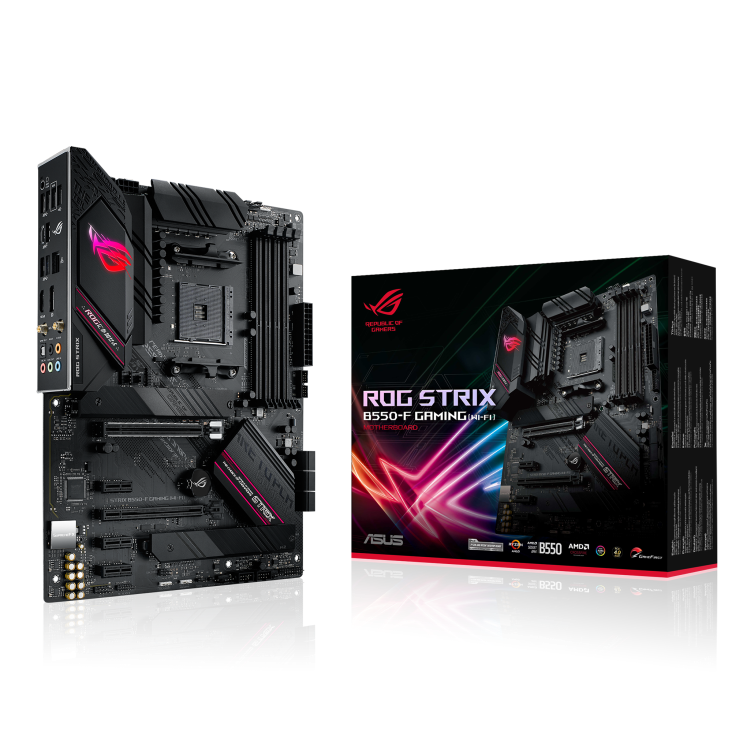
- ATX form factor, 12+2 power stages with ProCool connectors
- PCIe 4.0 x16, dual M.2 with heatsinks, 6x SATA
- Intel Wi-Fi 6 AX200, Bluetooth 5.1, Intel 2.5G LAN
- HDMI 2.1 and DisplayPort 1.2 outputs for anyone running a Ryzen chip with integrated graphics
MSI MPG B550 Gaming Carbon WiFi: best high-end ATX pick
At ₹29,999, this is the board for a no-compromise AM4 build, priced at the same level as the mini-ITX pick below but in a full ATX layout with more room for expansion cards and storage.
- ATX form factor, high-end power delivery for Ryzen 7/9 chips
- Wi-Fi and multiple M.2 slots for fast storage
- Best suited to a final AM4 build meant to last several years
MSI MPG B550I Gaming Edge Max: best mini-ITX pick
At ₹29,999, this is the one to consider if you're building small. It's a Mini-ITX board, meaning only two DDR4 slots (up to 64GB) instead of four, but it doesn't skimp on the rest of the spec sheet.
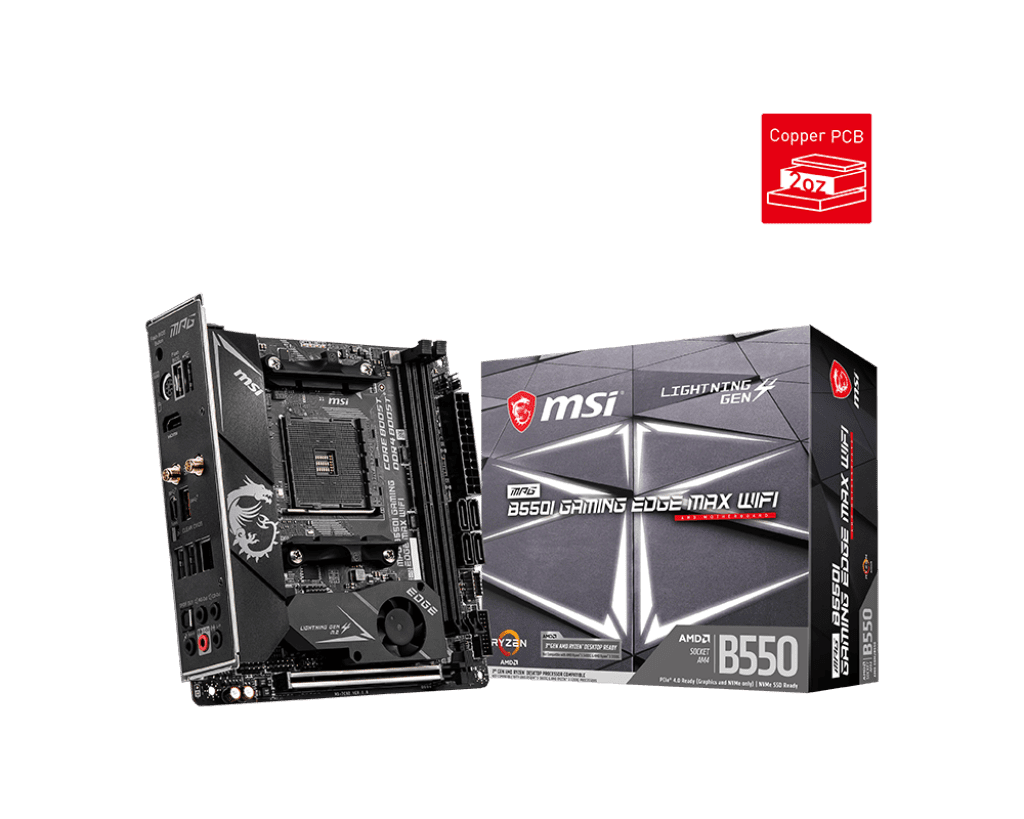
- Mini-ITX form factor, 2x DDR4 slots up to 64GB (5100MHz OC)
- PCIe 4.0 x16, dual M.2 (one Gen4 with a heatsink), 4x SATA
- Wi-Fi 6E, Bluetooth 5.2, 2.5G LAN
- M.2 Shield Frozr and a reinforced PCB, both useful in a cramped SFF case where airflow is tighter
Compare all seven with live pricing
Stock and pricing stay current on the category page even as the numbers in this article age.
More B550 boards worth checking
The seven ranked above cover most budgets and use cases, but a few more B550 boards are worth a look depending on what you need:
- Gigabyte B550M Gaming X WiFi 6 brings Wi-Fi 6 to the micro-ATX form factor for smaller builds that still want wireless.
- Gigabyte B550M AORUS Elite AX is worth checking if you want Gigabyte's AORUS gaming lineup in a smaller footprint.
- MSI B550-A PRO is a straightforward, no-frills ATX option if RGB and aesthetics aren't a priority.
- Gigabyte B550M K rounds out the lineup as one of the more basic micro-ATX options for a strict budget build.
B550 vs B450: is the extra cost worth it
The short version: B550 gets you PCIe 4.0 on the main graphics slot and top M.2 slot, B450 doesn't. For a Ryzen 5000 build paired with a current GPU or a fast NVMe drive, that bandwidth matters more than it did when B450 first launched.
| Feature | B450 | B550 |
|---|---|---|
| GPU slot bandwidth | PCIe 3.0 | PCIe 4.0 on the primary slot |
| Top M.2 slot | PCIe 3.0 (Gen3) | PCIe 4.0 (Gen4) on most boards |
| CPU support | Ryzen 1000 through 5000 (varies by BIOS) | Ryzen 3000, 4000G, and 5000 series |
| Typical price in India | Usually lower | Slightly higher for the PCIe 4.0 headroom |
| Best for | Tight budgets on Ryzen 3000/5000 | Anyone who wants PCIe 4.0 GPU or SSD bandwidth |
If your budget is tight and you're not planning to run a PCIe 4.0 SSD or a demanding GPU, B450 is not a bad choice. For most new AM4 builds in 2026, B550 is the more sensible default, since it costs only a little more and removes the bandwidth ceiling entirely.
How to get the best deal on a B550 motherboard
Prices move often enough that the numbers above will shift within a few months, so here's how to make sure you're paying a fair price whenever you buy:
- Skip Wi-Fi if you don't need it. The Steel Legend and Eagle WiFi6 cost almost the same at Avika Retails, so pick based on whether you need wireless, not price. At other tiers, the Wi-Fi premium is bigger, so check both options rather than assuming a fixed markup.
- Go micro-ATX if you don't need extra PCIe slots. The DS3H saves real money over the ATX boards in this list without losing core features like PCIe 4.0 or dual M.2 storage.
- Check stock status before comparing on price alone. Several boards on this list move between in-stock and out-of-stock fairly often, and an in-stock board at a similar price is a better deal than a slightly cheaper one with no clear restock date.
- Ask about bundle pricing. Some stores offer combined pricing on a motherboard plus RAM or a CPU, which tends to save more than negotiating the motherboard alone.
- Match the VRM to your CPU, not your budget for RGB. A 14-phase overclocking board like the Steel Legend is wasted on a Ryzen 5 5600 you never plan to overclock. Put that difference toward the GPU or storage instead.
- Spread the cost with EMI rather than downgrading the board. If the board you want is slightly above budget, Bajaj EMI can spread the cost instead of forcing a compromise on features you'll want later.
Don't want to pay all at once?
Split the cost of your board (or full build) with Bajaj EMI instead of paying the full price upfront.
Which Ryzen CPUs work with a B550 board
B550 supports Ryzen 3000, Ryzen 4000G, and Ryzen 5000 series desktop processors. It does not support Ryzen 1000 or 2000 series chips at all, so if you're upgrading from an older AM4 system, check your CPU generation before assuming your existing processor will drop straight into a new B550 board. Since B550, B450, and the older A320 boards all share the same AM4 socket, the board you pick mostly comes down to PCIe generation and features, not physical compatibility, as long as your CPU falls in the supported range.
If you haven't settled on AMD yet, it's worth comparing against Intel before committing to a platform. Our Ryzen 5 vs Intel Core i5 real-world comparison and Ryzen 5 5600X vs Intel i5-12400F both cover how the platforms compare in games rather than on paper alone, and our broader Intel vs AMD breakdown is a good starting point if you're choosing a platform from scratch. You can browse both lineups through our AMD Processors and Intel Processors category pages.
Matching your board to the right CPU and GPU
None of these boards matter much without the right CPU and GPU sitting on top of them. A premium Wi-Fi board paired with an entry-level Ryzen chip is money spent in the wrong place, and a budget board under a Ryzen 9 running heavy overclocks will hold that CPU back on sustained power delivery. Our best CPU pairings for the RTX 5060 without bottlenecking and best GPU-CPU combos for every budget guides break this down further, and our general guide to choosing the right motherboard for gaming covers the broader checklist if you're weighing chipsets beyond just B550.
We're based in Nehru Place, Delhi, India's largest IT hardware market, so if you'd rather see a board in person before buying, that's an option too, alongside pan-India delivery for online orders.
Frequently asked questions
What is the price of a B550 motherboard in India?
B550 motherboard prices in India currently range from about ₹8,299 for a budget micro-ATX board like the Gigabyte B550M DS3H to around ₹29,999 for premium Wi-Fi options like the MSI MPG B550 Gaming Carbon WiFi or the MSI MPG B550I Gaming Edge Max mini-ITX board.
Is B550 better than B450?
Yes, for most new builds. B550 adds PCIe 4.0 support on the main graphics slot and top M.2 slot, which B450 lacks, and generally ships with stronger power delivery. B450 still works fine on a tight budget if you're not using a PCIe 4.0 GPU or SSD.
Which Ryzen processors work with a B550 motherboard?
B550 supports Ryzen 3000, Ryzen 4000G, and Ryzen 5000 series desktop processors. It does not support Ryzen 1000 or 2000 series chips, so older AM4 CPUs will not work on a B550 board.
Is a B550 motherboard good for a Ryzen 5 5600?
Yes. Most B550 boards, including budget options like the Gigabyte B550M DS3H, handle a Ryzen 5 5600 without issue. Some earlier-stock boards need a BIOS update before they'll recognize the chip, so it's worth flashing the latest BIOS first if you're buying from older inventory.
How can you get the best deal on a B550 motherboard?
Skip features you won't use, such as Wi-Fi if you already have a wired connection or a strong overclocking VRM if you never plan to overclock. Compare in-stock boards at similar prices rather than waiting on a cheaper out-of-stock option, and consider EMI if the board you want is slightly above budget.