








MSI B650M Gaming Plus WiFi Motherboard | AM5 Micro-ATX
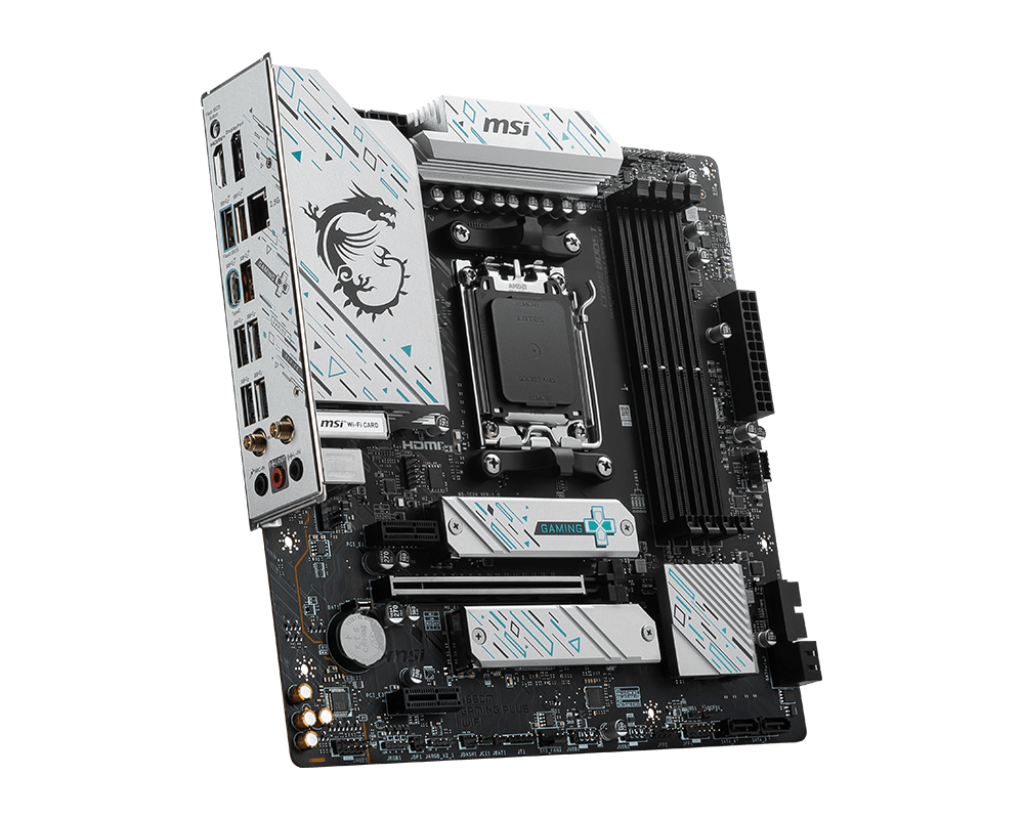
A motherboard doesn’t magically make a PC faster, but a weak one can absolutely create stability problems, overheating, and frustrating troubleshooting later on. The B650M Gaming Plus WiFi lands in a sensible middle ground for people moving into AMD’s AM5 platform.
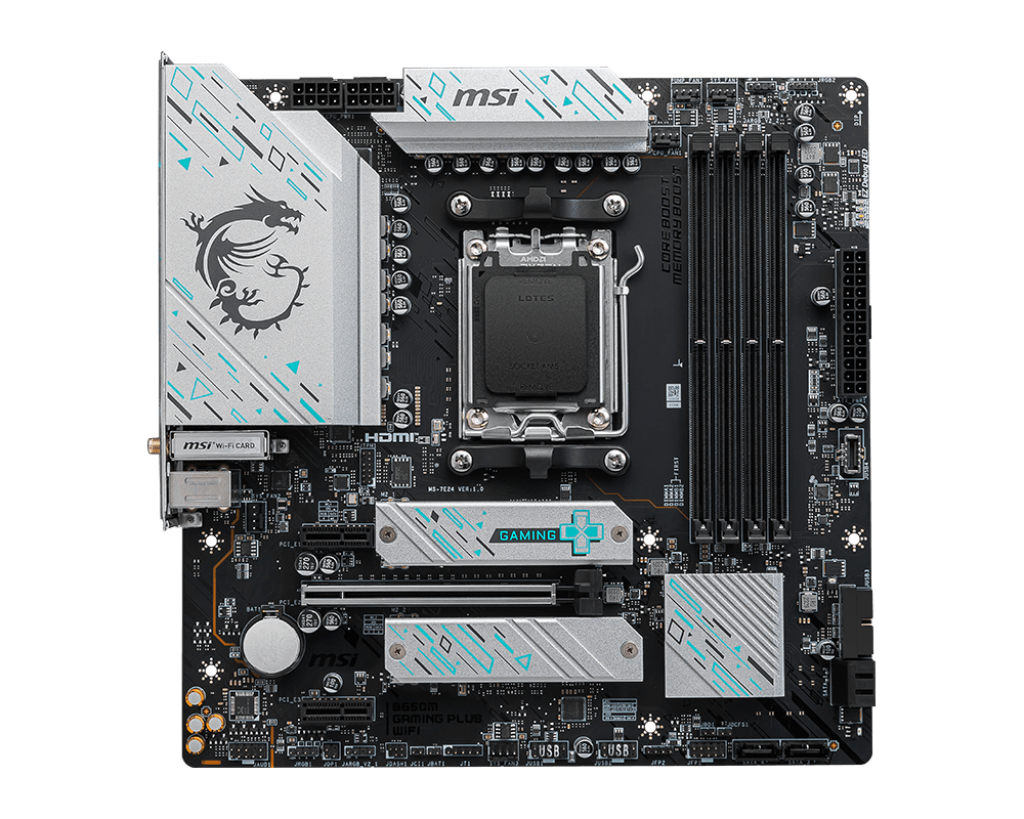
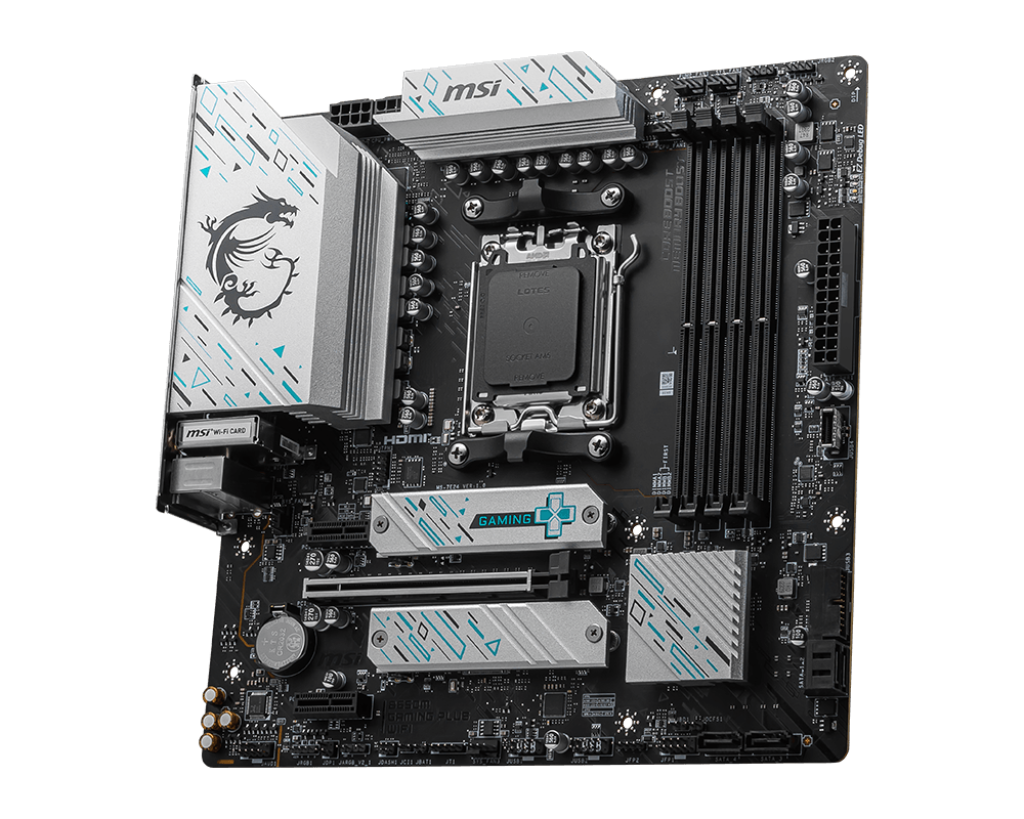
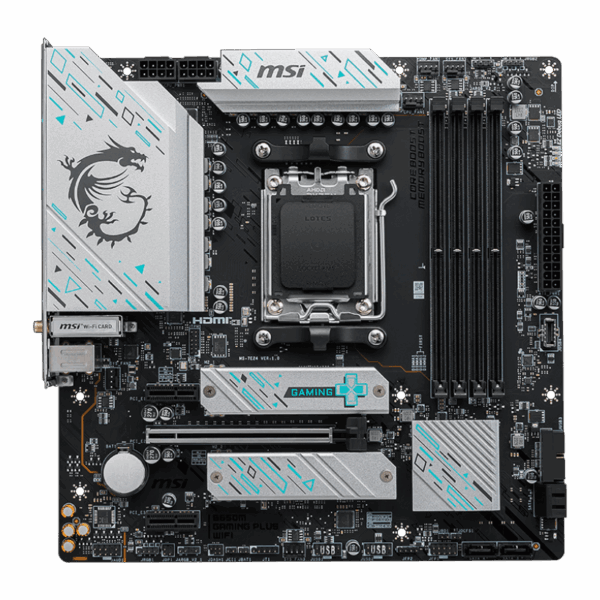
Rather than throwing money at features most users will never touch, this board focuses on the stuff that actually affects day-to-day use: solid VRM cooling, DDR5 support, decent networking, and enough expansion for a modern gaming or productivity setup.
The Micro-ATX size works especially well for compact systems without becoming cramped to build in. There’s still enough room for large modern GPUs, multiple NVMe drives, and decent airflow in most cases. MSI also includes a pre-installed I/O shield, which saves the usual annoyance during installation.
The 6-layer PCB with thicker copper helps overall durability and stability, especially with heavier graphics cards installed. Pairing this board with CPUs like the Ryzen 5 7600, Ryzen 7 7700, or 7800X3D feels pretty natural since the VRM setup has enough thermal headroom to let those chips boost properly without struggling.
KEY FEATURES
- 10+2+1 Duet Rail Power System
Behind the marketing terms, this mainly means stable power delivery to the CPU under load. Better VRMs help reduce instability during gaming, rendering, compiling, or multitasking. The larger heatsinks also do a good job keeping temperatures under control during long sessions. - DDR5 Memory Support
Supports high-speed DDR5 EXPO memory kits up to 7200+ MHz depending on CPU and memory configuration. Faster memory can noticeably help Ryzen systems, especially in CPU-heavy games and multitasking workloads. - Dual Gen4 M.2 Slots
You can install two PCIe Gen4 NVMe SSDs directly onto the board without extra SATA cables. The main slot includes MSI’s M.2 Shield Frozr heatsink, which helps prevent thermal throttling during larger file transfers or game installs. - Integrated Wi-Fi 6E & 2.5G LAN
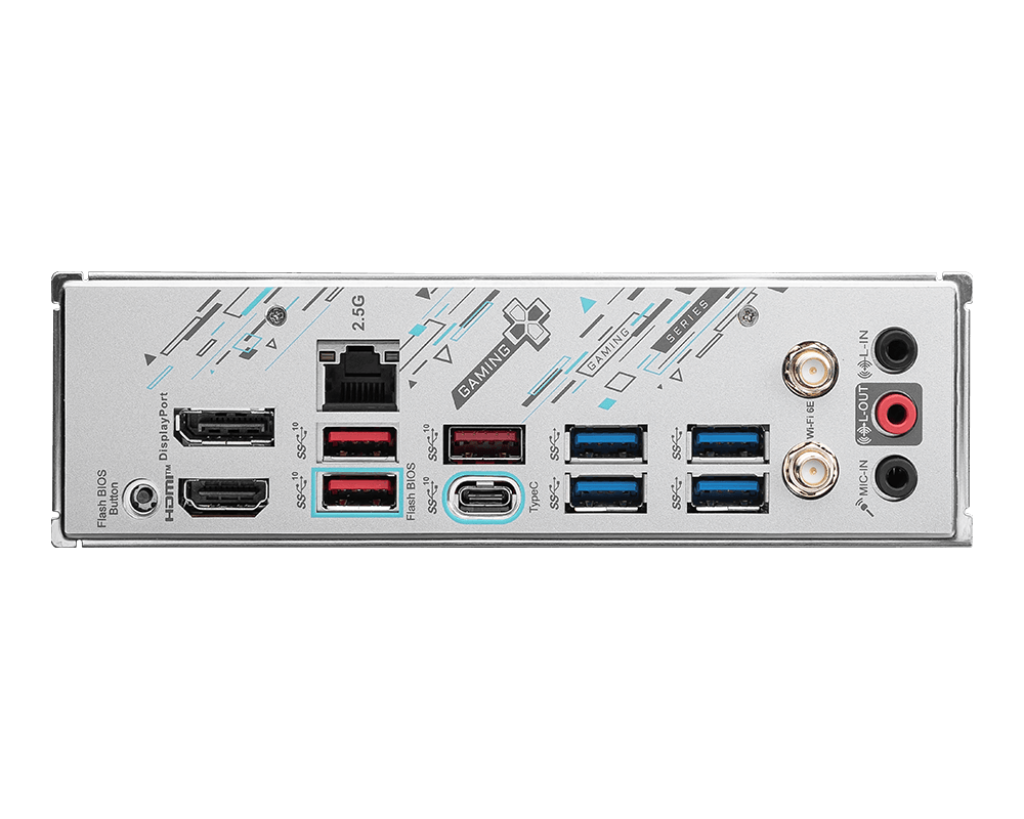
The board includes both fast wired and wireless networking options. The 2.5Gb LAN port is useful for faster internet plans or local NAS transfers, while Wi-Fi 6E gives stable wireless connectivity if ethernet isn’t practical for your setup.
PERFORMANCE & USAGE
Building on the B650M Gaming Plus WiFi is fairly straightforward, even for less experienced builders. MSI’s EZ M.2 clips are genuinely convenient since you don’t need tiny screws just to install storage drives anymore. The onboard EZ Debug LEDs are also surprisingly useful during first boot troubleshooting. If something goes wrong, the board points directly toward the RAM, CPU, GPU, or boot issue instead of leaving you guessing.
In normal daily use, the board mostly disappears into the background, which is honestly what you want from a motherboard. Stability is solid, boot times are quick, and VRM temperatures stay under control even with demanding Ryzen chips like the 7800X3D running under load.
The BIOS layout is easy enough to navigate without feeling overwhelming. Enabling EXPO profiles, updating BIOS versions, or adjusting fan curves doesn’t take much effort.
One area where MSI clearly cut costs is the Realtek ALC897 audio codec. For normal speakers, gaming headsets, Discord calls, and casual use, it’s perfectly fine. But users with high-end studio headphones or serious audio setups may still prefer an external DAC or dedicated sound solution.
TARGET AUDIENCE: This motherboard fits best in value-focused gaming PCs, compact AM5 systems, and mid-range workstation builds. It’s a strong option for gamers, students, home office users, and first-time AM5 builders who want modern features without paying flagship motherboard pricing.
COMPARISON INSIGHTS
Compared to cheaper A620 boards, the B650M Gaming Plus WiFi gives noticeably better VRM cooling, stronger connectivity, more tuning flexibility, and generally better long-term usability. Against larger ATX boards like the MSI B650 Tomahawk, you lose a few extra USB ports, another M.2 slot, and slightly upgraded onboard audio. In exchange, you save money and get a more compact build footprint.
Unlike high-end X670E or B650E boards, this model skips PCIe Gen5 support for GPUs and storage. Realistically though, current gaming GPUs still don’t fully saturate PCIe Gen4 bandwidth, so most users won’t notice any actual gaming difference right now.
EXPERT RECOMMENDATION
For builders moving to AM5, the MSI B650M Gaming Plus WiFi hits a very practical balance between price, features, and reliability. MSI avoided wasting too much budget on cosmetic extras and focused more on the things that actually matter for long-term use.
The VRM cooling is strong enough for Ryzen 7 gaming builds, networking options are modern, and the compact size works well in smaller systems without feeling stripped down.
Unless you specifically need massive storage expansion, extreme overclocking features, or premium onboard audio, this board already covers what most gaming and productivity users realistically need.
FAQ
- Does this board require a BIOS update to support Ryzen 9000 series CPUs?
Depending on manufacturing date, some boards may require a BIOS update for newer Ryzen processors. Thankfully, MSI includes Flash BIOS support, allowing updates using only a USB drive and power supply. - Will my large graphics card block the other PCIe slots?
In many cases, yes. Large modern GPUs often cover the lower PCIe slots on Micro-ATX boards, so expansion planning matters if you use additional PCIe cards. - Does it support PCIe 5.0?
No. The primary GPU slot and M.2 storage slots operate at PCIe 4.0 speeds. For current gaming hardware, that’s still completely fine for most users. - Can I run older DDR4 memory on this board?
No. AM5 motherboards only support DDR5 memory, and DDR4 modules are physically incompatible. - Do I need to install the Wi-Fi antennas if I use ethernet?
If you plan to use Bluetooth devices like wireless controllers or headphones, it’s still recommended since the antennas also help with Bluetooth signal reception.

Reviews
Clear filtersThere are no reviews yet.