





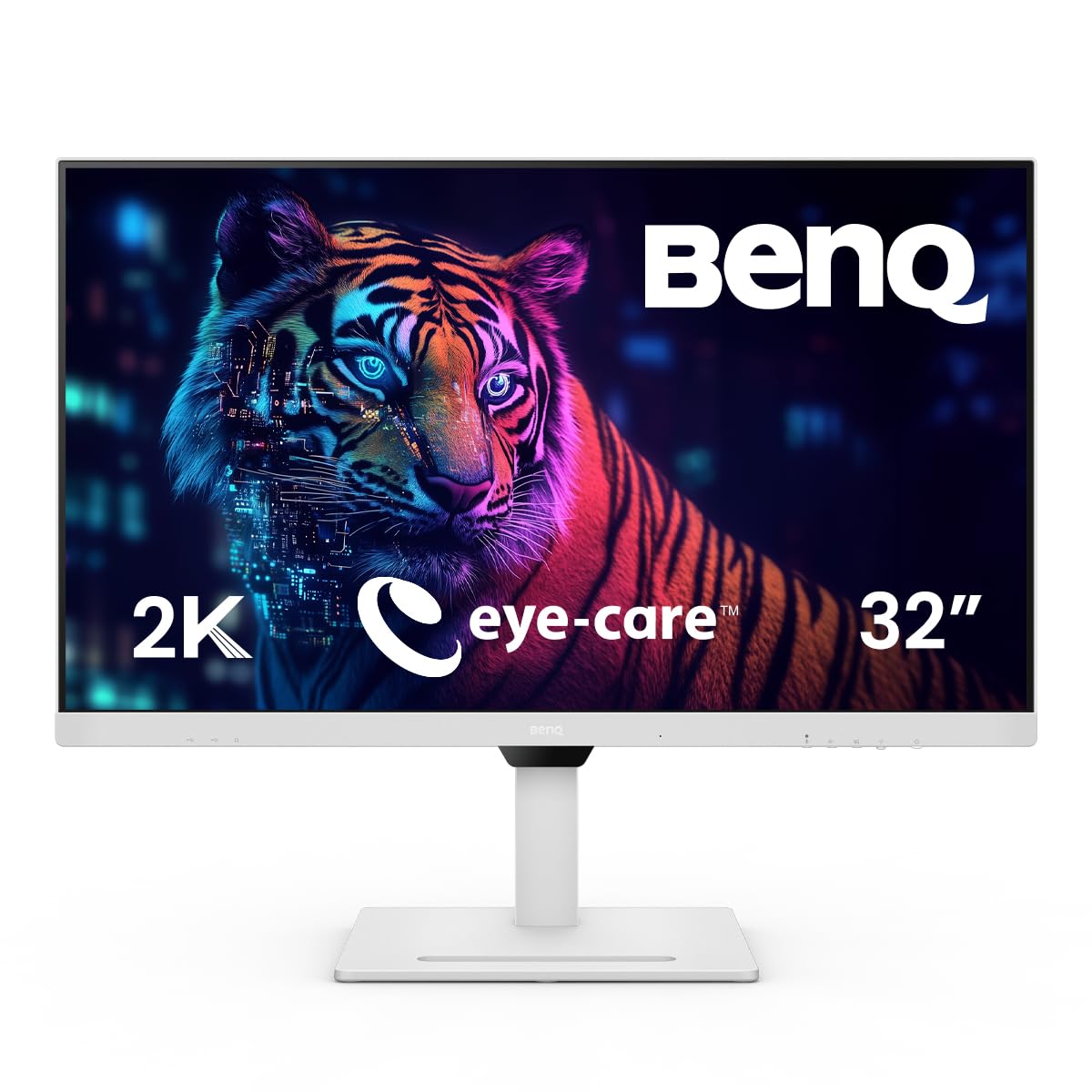



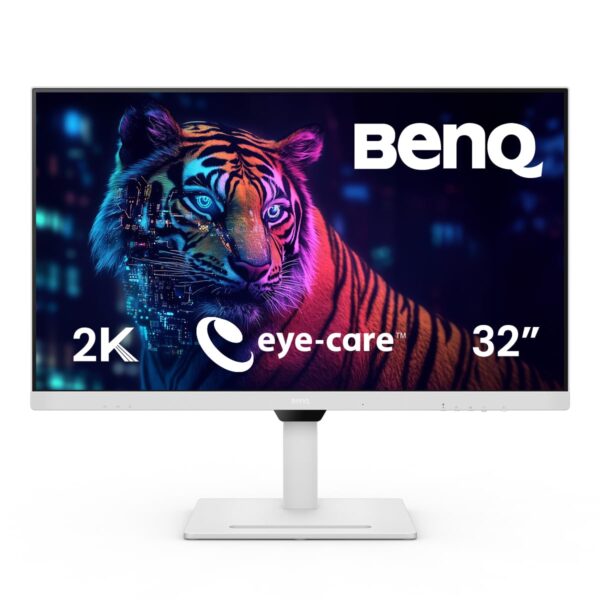
BenQ GW3290QT 31.5-Inch QHD IPS Ergonomic Monitor
Professional Communication Suite: Stop juggling external headsets and webcams. The GW3290QT integrates advanced communication tools directly into the monitor frame. It features a built-in noise-cancellation microphone that intelligently filters out ambient background noise in your environment, ensuring your voice remains clear to colleagues. Complementing this are dual noise-filter speakers, which isolate vocals from background chatter on the other end of your call, making meetings significantly less fatiguing and more professional.
Streamlined Hybrid Workflow: Reduce cable clutter with a “one-cable-to-rule-them-all” setup. The USB-C port transmits display data, peripheral data, and provides 65W of power delivery to your laptop simultaneously. If you need more screen space, the monitor supports Daisy Chain technology, allowing you to connect multiple monitors to your PC using a single display output from your source device, creating a clean, professional multi-screen environment.
Advanced Eye-Care for Long Sessions
BenQ’s industry-leading Eye-Care technology is the centerpiece of this monitor.
- Brightness Intelligence Gen 2 (B.I. Gen2): An ambient light sensor detects your environment and automatically adjusts the screen’s brightness and color temperature.
- ePaper Mode: Simulates an e-book reading experience with optimized contrast and black-and-white layouts, perfect for long-form reading or coding.
- Coding Mode: Specifically tuned to make syntax colors “pop” against a dark background, improving readability and reducing eye strain during long programming sessions.
- Low Blue Light Plus & Flicker-Free: Protects your eyes from harmful radiation and eliminates screen flickering, reducing the risk of headaches and fatigue.
Key Features
- 31.5-Inch QHD Display: Sharp 2K resolution (2560 x 1440) on a large IPS panel offers excellent color accuracy and wide viewing angles.
- Built-in Conferencing Tools: Integrated noise-cancellation mic and noise-filter speakers for seamless, professional video calls.
- USB-C 65W Connectivity: Single-cable solution for charging your laptop, transferring data, and outputting video.
- Daisy Chain Support: Easily expand to multiple displays using a single video output from your laptop.
- Ergonomic Customization: Highly adjustable stand allows for height, tilt, pivot, and swivel adjustments to suit your perfect posture.
- Multi-Mode Productivity: Includes dedicated Coding Mode, ePaper Mode, and M-Book Mode (for color matching with MacBooks).
Specifications of BenQ GW3290QT 31.5-Inch QHD IPS Ergonomic Monitor
| Feature | Specification |
| Model | BenQ GW3290QT |
| Panel Size | 31.5-inch |
| Resolution | 2560 x 1440 (QHD / 2K) |
| Panel Type | IPS |
| Refresh Rate | 75Hz |
| Connectivity | USB-C (65W PD), HDMI, DisplayPort, USB Hub, Daisy Chain |
| Audio | Built-in Noise-Filter Speakers (2W x 2) |
| Microphone | Built-in Noise-Cancellation Microphone |
| Eye-Care | Brightness Intelligence (B.I.) Gen2, Low Blue Light Plus, Flicker-Free |
| Ergonomics | Height, Tilt, Pivot, and Swivel adjustable |
Who It’s For
- Remote & Hybrid Professionals: Perfect for those who conduct frequent video conferences and need reliable audio and video tools built directly into their monitor.
- Coders and Developers: The dedicated “Coding Mode” and large 31.5-inch QHD canvas provide a superior environment for writing and debugging complex code.
- Minimalist Multitaskers: Anyone who wants a clutter-free, highly organized desk setup with a single USB-C cable driving their entire workstation.
Frequently Asked Questions
- Does this monitor have a built-in webcam? No. While it features a built-in microphone and speakers for conferencing, it does not include a webcam. You will still need an external camera if your laptop is closed or if you are using a desktop PC.
- Can I daisy-chain this monitor with any laptop? Daisy-chaining (using the DisplayPort Output) generally requires your source device (laptop/PC) to support DisplayPort MST (Multi-Stream Transport). Ensure your computer’s USB-C or DisplayPort output supports this feature before planning a multi-monitor daisy-chain setup.
- What is the difference between this and the GW2790QT? The “GW3290QT” is the 31.5-inch model, while the “GW2790QT” is the 27-inch variant of the same professional productivity line. They share the same high-end features, including the noise-cancellation microphone, USB-C 65W delivery, and Eye-Care technologies. Choose the size that best fits your desk space.

Reviews
Clear filtersThere are no reviews yet.