





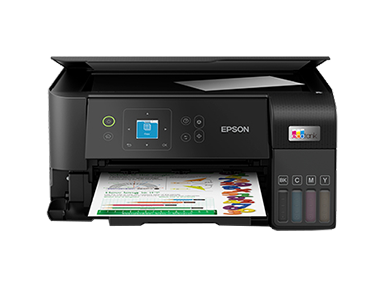



The Epson EcoTank L3560 is an exceptional modern all-in-one printer designed to meet the needs of both home users and small offices by combining convenience, connectivity and cost efficiency. Below is a full breakdown of what this machine offers, how it works, and why it stands out.
Key Features & Design
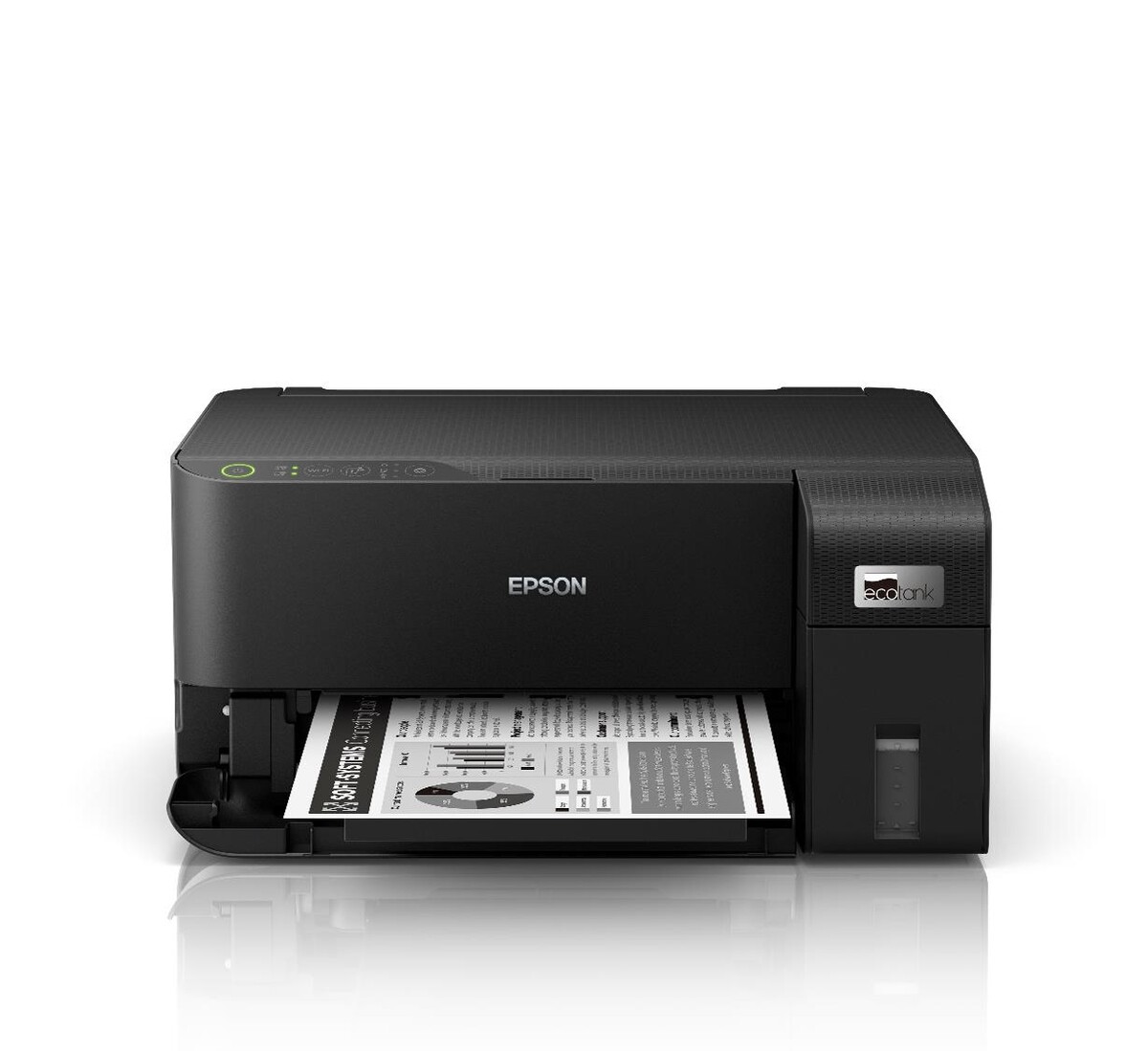
The EcoTank L3560 provides print, copy and scan functionality in one compact unit, tailored for everyday needs. epson.eu+1 Its design incorporates Epson’s integrated ink-tank system (rather than cartridges), enabling high-yield ink bottles and a remarkably low cost per page. mediaserver.goepson.com+1
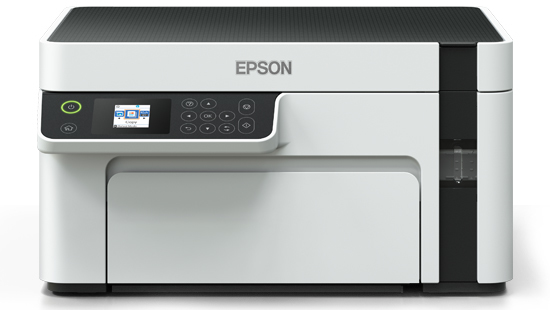
Its footprint is compact and unobtrusive: roughly 375 mm (W) × 347 mm (D) × 179 mm (H) and weighing about 4.3 kg, making it suitable for a home desk or small office shelf. epson-centralasia.com+1 In addition, the machine features a clear 3.7 cm colour LCD screen for easier control and navigation. mediaserver.goepson.com+1
The refill ink system uses specially designed key-lock bottles to ensure each colour goes into its own tank correctly, helping avoid mess and error during refill. epson.co.in+1
Printing & Quality
On performance, the L3560 supports a maximum print resolution of 4,800 × 1,200 dpi (depending on model/region) – enabling crisp text and detailed photo output. epson.eu+1 Print speeds are competitive for consumer machines: for example, up to ~15 pages per minute in monochrome in some metrics, and up to ~8 pages per minute in colour (ISO standards) in some regions. epson.eu+1
For photo users, borderless printing is supported up to 10 × 15 cm size (4R) in certain markets. epson.eu+1
Under the hood the printer utilises Epson’s PrecisionCore Heat-Free technology, which helps reduce power consumption, warm-up time and overall maintenance needs thanks to a pre-installed printhead. gulfbusiness.com+1
Ink Efficiency & Running Costs
One of the standout aspects of the EcoTank series (including the L3560) is the ultra-low running cost. Epson states that you can save up to 90% (or in some regions up to 95%) on ink costs compared to cartridge-based printers. epson.eu+1
In real-world terms, the included ink bottles yield substantial page counts—depending on region: e.g., up to ~6,600 pages in black and ~5,900 in colour from the included set of inks in the European spec. epson.eu Some regions quote slightly lower numbers (e.g., ~4,300 black and ~7,500 colour in certain yields). gulfbusiness.com+1
What this means for you is fewer interruptions, fewer ink purchases, and much lower cost per printed page—particularly beneficial for households printing photos, documents, school work, craft projects or small office jobs.
Connectivity & Smart Features
Connectivity is modern and flexible: the L3560 supports WiFi and WiFi Direct, enabling you to print from tablets, smartphones, laptops and desktops without needing a wired connection or separate print server. epson.co.in It also supports mobile printing standards such as Apple AirPrint, and uses the Epson Smart Panel app to manage tasks (setup, ink levels, scanning from phone, etc.). epson.eu+1
One notable feature is WiFi Direct: you can connect devices directly to the printer without needing them to share the same WiFi router network. This offers convenience in multi-device households. epson.co.in
Practical Usage & Suitability
For a typical home or small office environment, the L3560 hits many sweet spots:
-
Print volumes: With high-yield inks and low cost per page, it’s economical for printing documents, school assignments, craft templates, or occasional photo printing.
-
Multifunction convenience: The print-scan-copy capability means you won’t need separate devices for simple workflow tasks.
-
Mobile / wireless printing: Ideal for users who print from their phone or tablet.
-
Photo capability: If you want to print photos at home (up to 4R borderless), this machine handles that too.
-
Space saving: Compact footprint means it fits nicely on or under a desk without dominating space.
If you’re building a home workstation, doing online teaching materials, small business invoices or local creative prints, the L3560 offers a strong value proposition.
Considerations & Limitations
Of course, no machine is perfect. It’s worth considering a few limitations to ensure the L3560 meets your needs:
-
No automatic duplex (double-sided) printing built-in: In many specifications, the duplex printing is manual only. epson.eu If you print a lot of double-sided documents and want this to be automatic, you may need to look elsewhere.
-
Paper tray capacity: The standard rear paper tray holds ~100 sheets in many specs. If you print very high volumes, you may need to refill more frequently. epson.eu+1
-
Colour print speed is modest: While the speed is acceptable for everyday use, if you’re printing large colour jobs rapidly, you may notice it is not as fast as high-end office laser machines.
-
Better for moderate volume: Though capable, the machine is optimally suited for home / small office — not necessarily designed for heavy duty production printing of thousands of pages per day.
-
Initial platform cost: While the ink cost per page is very low, ensure you have space, power and a compatible WiFi network for optimal use.
-
Regional specification variation: Page yields and print speeds may differ by region; always check local spec sheets.
Why Choose the Epson EcoTank L3560?
Summing up the strengths:
-
Cartridge-free, spill-free ink tank system means you refill, not replace, and you avoid mess and frequent purchases.
-
Exceptionally low cost per page supports long term savings — particularly relevant if you’re printing casually but regularly.
-
Full wireless connectivity and mobile-friendly features mean you can integrate easily into modern digital workflows.
-
Multifunction capabilities (print, scan, copy) give you flexibility without needing multiple devices.
-
Good print resolution and photo support give you versatility beyond mere document printing.
-
Compact size and smart feature set make it a sensible choice for homes, study rooms, small offices or creative setups.
Ideal Use-Cases
Here are a few scenarios where the L3560 is particularly well-suited:
-
Home users & students: Printing assignments, worksheets, notes, photos, craft projects.
-
Home office: Invoices, forms, occasional marketing prints, scanning receipts or documents.
-
Photo enthusiasts: Taking advantage of borderless photo print capability for casual photo prints at home.
-
Families sharing printing: Because multiple devices (phones/tablets/laptops) can connect via WiFi or WiFi Direct, it’s good for households with multiple users.
-
Cost-conscious print environments: Where running cost is important; e.g., printing frequently but wanting to minimise ink expenditure.
Final Thoughts
The Epson EcoTank L3560 stands out as a well-balanced all-rounder. It combines smart connectivity, multifunction convenience, impressive cost efficiency and a modern refillable ink design — making it an excellent choice for many home and small-office users. While it may not match high-end office lasers in raw speed or large-volume throughput, it solidly meets the needs of its target audience with a compelling value-for-money proposition.
If you’re looking for a wireless, tank-type printer that keeps running costs down, offers good print quality and doesn’t require constant cartridge changes, the L3560 is definitely worth serious consideration.
Should you like, I can help you find Indian pricing & deals for the Epson EcoTank L3560, compare it to similar models (e.g., EcoTank L3260) or look up compatibility & chamber-requirements for your particular setup.

Reviews
Clear filtersThere are no reviews yet.