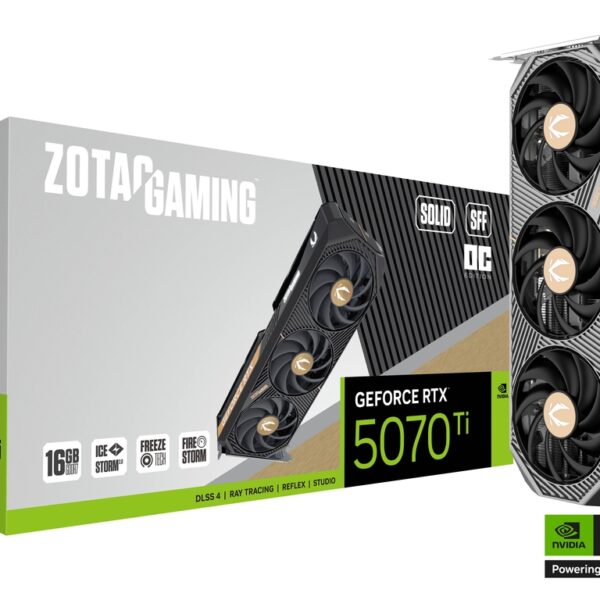

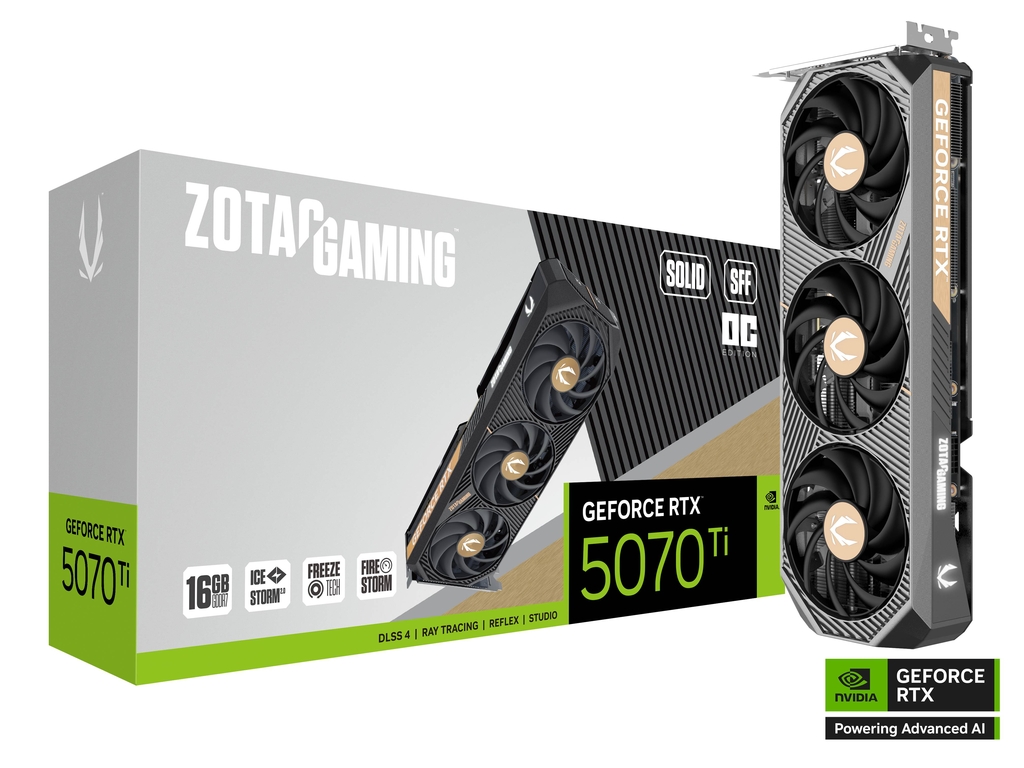
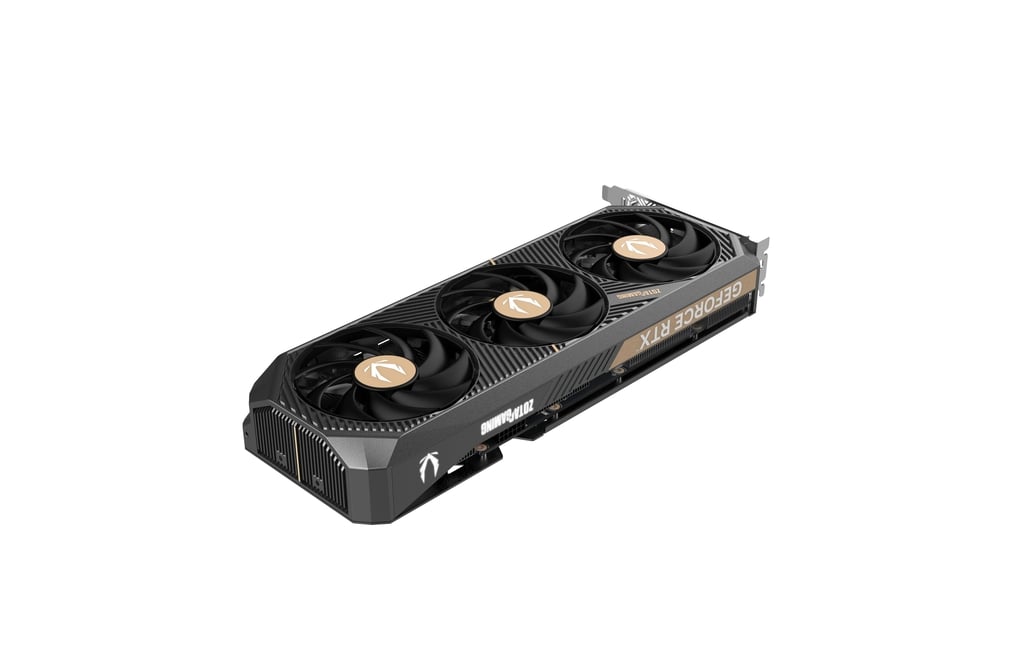
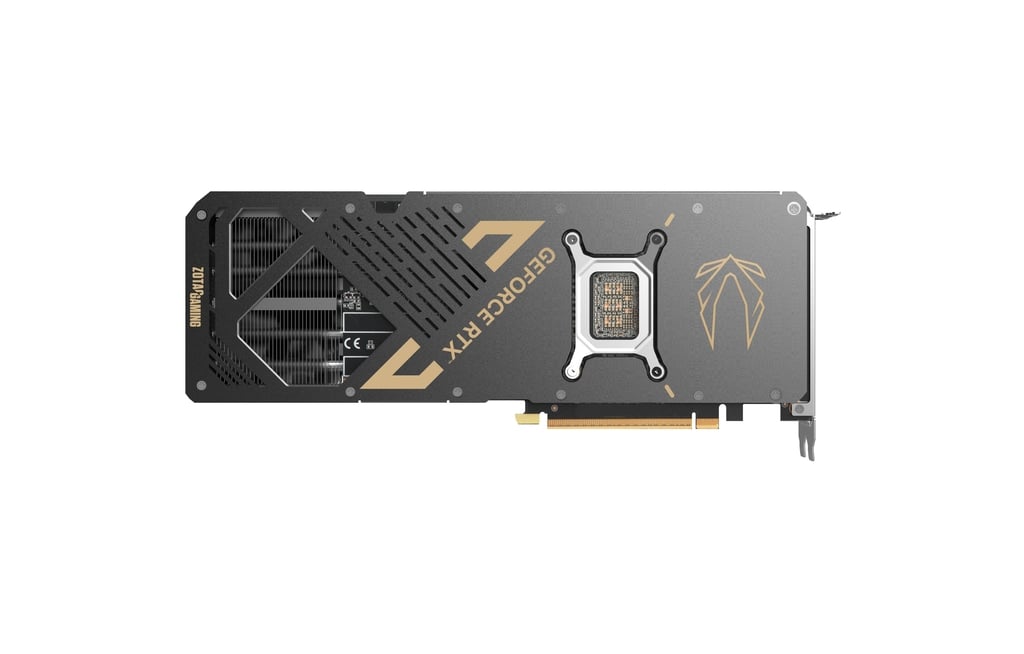
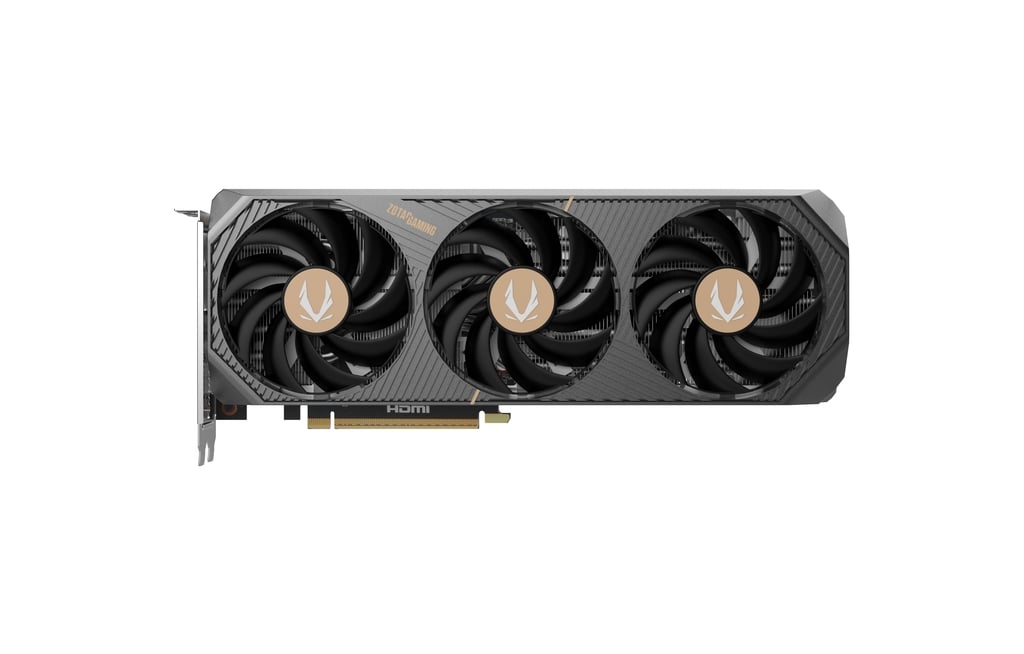
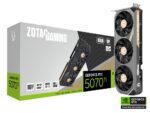

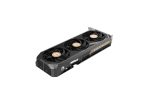
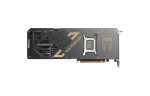
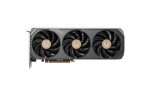



ZOTAC GAMING GeForce RTX 5070 Ti SOLID SFF OC 16GB GDDR7 – Ultimate Compact High-Performance GPU for Gaming, AI & Content Creation

Discover the power and versatility of the ZOTAC GAMING GeForce RTX 5070 Ti SOLID SFF OC 16GB GDDR7, a high-end graphics card built on NVIDIA’s Blackwell architecture, featuring 8,960 CUDA cores, a blazing 16GB of GDDR7 memory on a 256-bit bus, PCIe 5.0 support, DisplayPort 2.1b/HDMI 2.1b outputs, and a compact small-form-factor (SFF) design. Whether you’re gaming at 1440p/4K, building a compact powerhouse for AI development, or editing high-resolution creative content, this card delivers flagship-level performance in an efficient, space-saving form.

Original price was: ₹165,000.00.Current price is: ₹95,999.00.

521 People watching this product now!

Payment Methods:

avika retails payment options

Description

1. Introduction

In the modern PC ecosystem, the quest for performance often comes with trade-offs: large towers, heat, noise, and limited upgrade paths. The ZOTAC GAMING GeForce RTX 5070 Ti SOLID SFF OC 16GB GDDR7 enters this space as a compelling solution — offering top-tier GPU performance in a compact form factor without compromising on features, future-proofing or creative-workflow support.

The GPU belongs to NVIDIA’s GeForce RTX 50-series, built on the Blackwell architecture, which brings major leaps in ray-tracing, AI acceleration, memory bandwidth (via GDDR7) and next-gen connectivity. NVIDIA+2Wikipedia+2 For users in India (and globally) aiming to build a system that balances power, size and versatility, this card presents an elite-class option — especially in scenarios that span gaming, content creation and AI-driven workloads.

This long description will explore the architecture & specification details, real-world usage across gaming, AI & editing workflows, build considerations (especially for Indian market builders), benefits & potential trade-offs, and ultimately why this card is a forward-looking investment.


2. Key Specifications & Architectural Highlights

Understanding what underpins the performance is the first step. While specific ZOTAC board data may vary (OC clocks, thermal design), the base architecture and core spec-sheet for the RTX 5070 Ti provide important context.

Core Architecture

  • Built on NVIDIA’s Blackwell architecture for the RTX 50 series. Wikipedia

  • Supports PCIe 5.0 x16 interface — offering greater bandwidth headroom and future system compatibility. NVIDIA+1

  • Uses GDDR7 memory, marking the next generation over GDDR6. For example, many RTX 5070 Ti boards use 28 Gbps GDDR7 on a 256-bit bus. GIGABYTE+1

  • Memory bandwidth: Up to about 896 GB/s (for 16 GB @ 28 Gbps on 256-bit bus) in some models. NanoReview.net+1

Specification Highlights

  • CUDA Cores: 8,960 (for the RTX 5070 Ti) as per reference spec. PNY+1

  • Memory: 16 GB GDDR7 (256-bit bus) — ample for high-res gaming, creative workloads, AI model handling. Asus

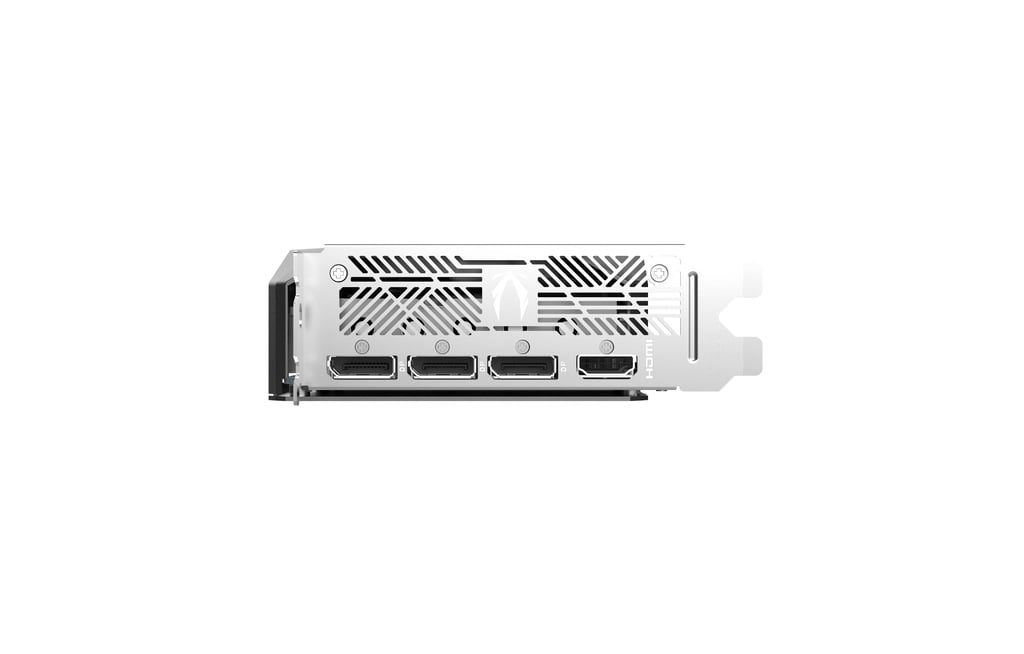
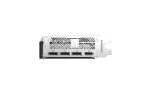
  • Outputs: 3× DisplayPort 2.1b + 1× HDMI (in many partner-boards) supporting up to 4K 480Hz or 8K 165Hz with DSC. NVIDIA

  • TDP / Power: Around 300 W for many RTX 5070 Ti models. PNY

  • Architecture features: New RT cores (for ray tracing), new Tensor cores (for AI), support for DLSS4, Reflex, Broadcast, NVENC/NVDEC improvements. (Direct partner board sites mention “Powered by RTX 5070 Ti”, “Powered by NVIDIA Blackwell architecture and DLSS 4”). GIGABYTE

Board & Form-Factor: ZOTAC SOLID SFF OC

  • ZOTAC’s “SOLID” SFF variant offers a smaller footprint than some full-size triple-slot boards, making it a strong choice for compact builds (mini-ITX, mATX, smaller ATX cases).

  • “OC” denotes factory overclocked variant — higher boost clocks compared to reference, which translates to slightly higher performance out-of-box.

  • The 16GB model ensures you’re not limited by VRAM in high-resolution or memory-heavy workflows.

In sum: this card inherits a top-tier architecture, ample memory, premium outputs, and compact design — ideal for a builder who wants high performance without monstrous size.


3. Gaming Performance: The Play Experience

When it comes to gaming, the RTX 5070 Ti SOLID SFF OC shines across multiple scenarios — from high refresh 1440p to serious 4K and even entry into 8K/ultra-wide. Let’s unpack how it performs and what that means for you.

3.1 1440p Gaming (2560×1440)

This resolution is often considered the “sweet spot” for gamers: excellent visual fidelity with high refresh rate potential (144Hz, 165Hz, even 240Hz). For this card:

  • The 8,960 CUDA cores and high memory bandwidth ensure that high–detail settings with ray tracing enabled are quite feasible.

  • With DLSS 4 (neural-upscaling) turned on, fracturing of frame rates is mitigated and image quality remains strong — meaning you can target high/ultra settings and still hit high refresh.

  • Competitive/eSports titles (Valorant, CS2, Apex, Fortnite) will benefit from very high FPS — your monitor and refresh rate then become larger limiting factors than the GPU.

For a gamer building a 1440p high refresh setup, this card offers excellent headroom — enabling future games and updates without immediate concern for bottlenecking. The benefit is smoother motion, ability to enable advanced effects (RT, DLSS) and still maintain responsiveness — very important for competitive play.

3.2 4K Gaming (3840×2160)

4K gaming demands much more: larger pixel counts, heavier textures, and often more VRAM usage. Here, the RTX 5070 Ti brings strong capabilities:

  • The 16 GB of GDDR7 memory allows handling of large textures, high-detail assets and AAA games in 4K.

  • With its outputs (DP 2.1b, HDMI 2.1b) supporting high refresh monitors/TVs, you’re ready for 4K @144Hz+ or connected to big-screen TVs.

  • Ray tracing: This card includes new generation RT cores, meaning you can enable ray-traced lighting/reflections while still achieving playable frame rates — especially when DLSS is used.

  • For many gamers, 4K @60-144Hz with high details is quite realistic with this card. Even higher refresh 4K monitors will be easier to exploit thanks to the strong hardware.

If you’re building a future-ready 4K system, this GPU gives real muscle. It may not always hit the ultra top frame counts of the highest tier GPUs (e.g., 5080/5090), but the balance of price, performance and future-proofing is compelling.

3.3 Entry into 8K / Ultra-Wide / VR

While 8K gaming remains niche today (limited game support, enormous GPU demand), the RTX 5070 Ti gives more headroom than older mainstream cards:

  • With DisplayPort 2.1b + DSC support, theoretically up to 8K at 165Hz is supported. NVIDIA

  • For ultra-wide monitors (34″-38″+), high refresh monitors, VR/AR setups, this card stands out compared to many mid-range GPUs.

  • For gamers looking ahead — say 5-10 years — picking a card with these outputs and memory headroom ensures fewer compromises later.

In practical terms: yes — you can game at 8K with this card, but expect settings or frame-rate compromises in many current titles. However, when combined with DLSS and next-gen displays, you’re set for future display upgrades.

3.4 Competitive & eSports Use-Case

For competitive gamers focusing on high frame rate, low latency, and responsiveness:

  • The architecture includes features such as NVIDIA Reflex (reducing system latency), and higher headroom means you’ll comfortably push 144Hz+ and beyond in many titles.

  • In eSports titles with lower graphical intensity, you’ll likely hit 200-300+ FPS easily with this card, giving you advantage in high-refresh setups.

  • The fact that it’s SFF form-factor means you can build a compact, portable rig for LAN parties, tournaments or smaller desk setups.

Thus, whether you’re a AAA open-world gamer, a competitive FPS player, or want a mixed-use system (gaming + streaming), this GPU covers the bases.


4. AI, Deep Learning & Content Creation

The RTX 5070 Ti is not just a gaming GPU — it’s a platform for creators, editors and AI enthusiasts. Let’s explore what it brings to the table.

4.1 AI / Deep Learning Workflows

In recent years GPUs have become central to AI workloads: training, inference, neural rendering, generative AI, deep-learning frameworks etc. Key features here:

  • The Blackwell architecture includes 5th-generation Tensor cores (based on partner board listings). These cores accelerate AI operations, mixed-precision compute (FP4, INT8 etc) and frameworks such as PyTorch, TensorFlow, RTX IO, AI-based workflows. GIGABYTE

  • The 16 GB of VRAM means larger models, bigger batches, more flexibility — compared to lower-VRAM cards which may bottleneck when handling heavy datasets or 4K/8K creative projects.

  • NVENC/NVDEC (latest generation encoding/decoding) allows creators and AI practitioners to offload workloads (e.g., streaming + training + editing) effectively.

  • If you’re doing GPU-accelerated rendering (e.g., neural rendering, Blender AI denoiser, Unreal Engine), this card gives serious muscle.

For hobbyists and semi-professional AI developers, this card opens a door: you’re not paying ultra-enthusiast pricing, but you gain real GPU-compute headroom. For instance – building your own generative AI workstation, running 3D model generation, or editing large volumetric AI content becomes practical.

4.2 Video Editing, Motion Graphics & 3D Content Creation

Creators working in Adobe Premiere Pro, DaVinci Resolve, After Effects, Blender, etc benefit from modern GPUs in multiple ways:

  • High VRAM ensures you can work with larger timelines — 4K, 6K, 8K footage, multi-layer effects, color grading, motion blur, and high-res preview displays.

  • The GPU accelerates tasks such as real-time playback, effect rendering, GPU-accelerated denoising, AI-based upscaling, live streaming.

  • For 3D modelling/animation, viewport performance is enhanced, simulation loops faster, GPU rendering engines (Cycles, Octane, Redshift) benefit from the CUDA cores + RT/Tensor cores.

  • The compact SFF design means you can build a creator PC that sits comfortably in a studio, home-office or even small-form build, without sacrificing power.

In summary: for creators and streamers who need a reliable GPU that can juggle gaming, editing and AI tasks — this card provides a future-proof backbone.

4.3 Productivity & Mixed Use – The All-Rounder

This card is ideal for users who don’t strictly categorize themselves as either gamer or creator, but do both. Picture a user who streams games, edits videos, uses AI-driven filters, models in 3D, and wants to build a system that lasts for 3-5 years without needing a GPU upgrade. The RTX 5070 Ti SOLID SFF OC ticks that box — offering high gaming headroom, creative workflow acceleration and AI support in one balanced package.


5. Build & Practical Considerations (Especially for Indian Market)

When buying such a high-end GPU, especially in India (import duties, regional availability, PSU compatibility, case form factors), several practical build considerations should be addressed.

5.1 Case and Form Factor

  • The SOLID SFF variant is designed for smaller footprints — this means more compact cases (mini-ITX, mATX, SFF towers) become viable.

  • Measure your case: ensure you have ~300mm+ length clearance (actual length may vary by board). Check height/slot availability, airflow path, GPU clearance from other components/cables.

  • Ensure your case has adequate airflow — even a high-end GPU in a cramped case with poor ventilation can throttle or run hot/noisy. For Indian climatic conditions (warmer ambient), airflow is even more important.

  • If you plan to upgrade further (CPU, storage, memory), consider needed clearance for upgrades (cooler size, drive bays, cable routing).

5.2 Power Supply Unit (PSU)

  • With a GPU that draws ~300 W+ (plus system overhead), it’s recommended to use a quality PSU rated at 750 W or higher — especially if you plan to overclock or upgrade other components in future.

  • Prefer PSUs with 80 Plus Gold or better efficiency — this ensures better stability, less heat/waste, and safer operation under Indian power grid fluctuations.

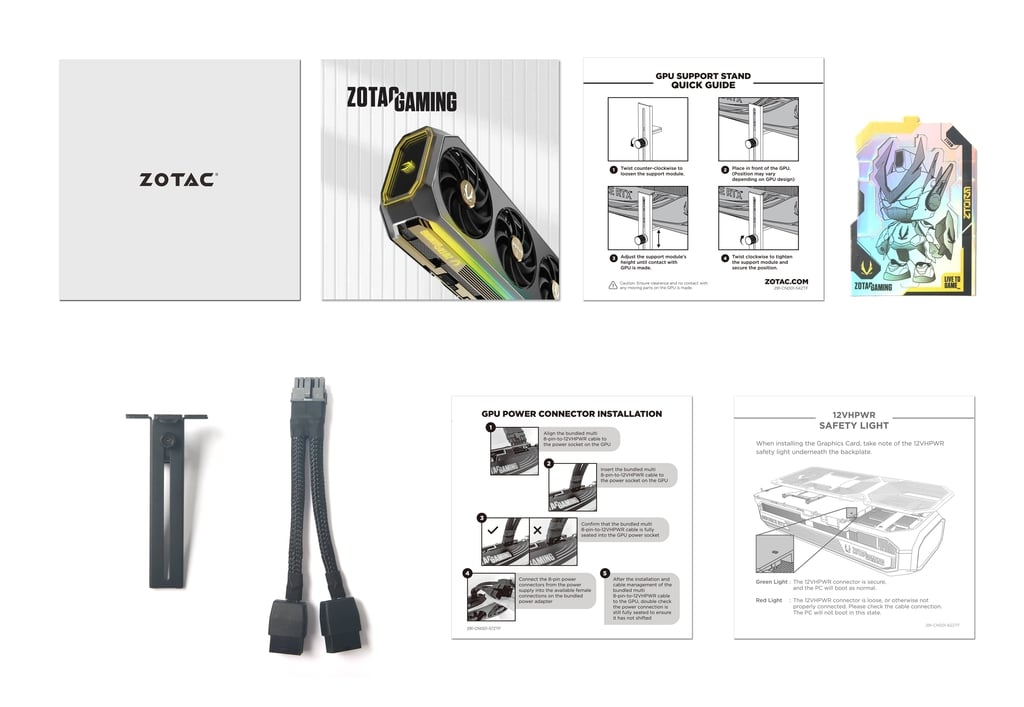
  • Ensure your PSU has the correct power connectors required by the GPU (some RTX 50 series cards use advanced power connectors — check board specs).

  • Cable quality, connector condition, airflow around PSU, and whole-system power headroom all matter to keep system stable long-term.

5.3 Motherboard & CPU Pairing

  • To fully exploit the GPU’s capability, your CPU should not bottleneck the GPU. A modern high-single-thread CPU (Intel Core i7/i9 14th/15th gen, AMD Ryzen 7/9 7000/8000 series) is ideal.

  • Choose a motherboard that supports PCIe 5.0 (if budget allows) and has strong VRM/thermal design — this ensures better system stability and future upgrading.

  • Ensure enough RAM (32 GB+ recommended for creative workloads) and fast storage (NVMe SSD, ideally PCIe 4.0/5.0).

  • Make sure your BIOS is up to date, and that your platform’s cooling / case airflow supports the GPU.

5.4 Cooling, Noise & System Thermals

  • Though the SOLID SFF variant is optimized for compact builds, you still need to ensure the GPU can breathe: good intake and exhaust airflow, clean cable routing, possibly additional case fans.

  • Modern GPUs can run hot under load — temperatures, noise, and power draw should be monitored (software such as MSI Afterburner, GPUz).

  • In Indian homes/offices (which may experience higher room temperature), designing for thermal margin is smart — e.g., adding more intake/exhaust fans, choosing a case with ample ventilation, cleaning filters regularly.

5.5 Availability, Pricing & Warranty in India

  • GPU pricing in India can fluctuate significantly due to import duties, taxes, currency fluctuation and inventory constraints. If you’re listing this card on a retail site (avikaretails.com) or buying it, keep tabs on current offers, bundling, and regional warranty terms.

  • Warranty: ZOTAC often offers extended warranty options (upon registration) — for customers, encourage registration to receive full warranty benefits.

  • Local support: Make sure customers know how to claim warranty, who the authorised service centres are, and that genuine board partners are being sold — note that manufacturing anomalies (rare ROP/ROD issues) have occurred with some RTX 5070 Ti cards. The Verge

  • Compatibility: Ensure drivers are installed correctly (Game Ready for gamers, Studio drivers if creators), and suggest regular updates for best performance and stability.


6. Feature & Benefit Breakdown

Let’s go feature by feature: what you get, and why it matters.

Feature Benefit for User
16 GB GDDR7 memory Handles large textures, high resolution, future-proof memory buffer for gaming/creation.
8,960 CUDA cores / Blackwell architecture Delivers strong performance for ray tracing, AI workloads, rendering tasks.
DisplayPort 2.1b + HDMI 2.1b outputs Compatible with modern high refresh monitors, 4K/8K displays, future display tech.
PCIe 5.0 interface Ensures maximum system bandwidth and compatibility with future motherboards.
Compact SFF design Fits smaller cases, builds a powerful rig without needing large full-tower.
Factory overclocked (OC) variant Higher boost clocks out of the box — more performance without manual tuning.
Creator/AI features (Tensor cores, NVENC etc) Enables creators/AI developers to work efficiently, not just game.
Efficient cooling (in SFF variant) Keeps thermals/noise in check even in compact builds.
Strong upgrade path With modern outputs and architecture, this card gives several years of relevance.

From a marketing perspective, these features can be translated into real-world benefits: “future-proof your build”, “play at 4K with high refresh”, “edit 8K video without VRAM limits”, “compact system performance” etc.


7. Strengths, Considerations & Trade-Offs

Strengths

  • Strong performance for both gamers and creators.

  • Excellent VRAM capacity (16GB) and next-gen memory (GDDR7).

  • Compact form factor: a key differentiator in the SFF market.

  • Good future-proofing: modern outputs, PCIe 5.0, high memory bandwidth.

  • Balanced for mixed use (gaming + creation + AI) rather than purely one dimension.

Considerations

  • Price: Being a high-end card means cost is significant. Buyers should ensure rest of system is balanced (CPU, RAM, cooling) to avoid bottlenecking the GPU.

  • Demand on power and thermals: even though SFF variant helps, you still need good case airflow and a quality PSU. In compact builds, ensure temperature headroom.

  • Upgrade path: While future-proofed, technology always evolves — top-end GPUs (e.g., RTX 5080/5090) will outperform — but those come at much higher cost. Buyers must decide cost vs benefit.

  • Availability in India: Some models may have limited stock, price surges due to import tax/currency. Retailers must manage supply, warranty and authenticity.

  • Use-case mismatch: If a buyer only plays 1080p eSports or uses limited creative workloads, this card might be over-kill and a more cost-effective card might suffice.

In summary, for the right user profile (1440p/4K gamer, creator, AI enthusiast, compact build) this card is an excellent choice. If your use is narrower (1080p, minimal creation), you might evaluate slightly lower tier cards for value.


8. Ideal Build Scenarios & Recommendations for Indian Buyers

Here are sample build recommendations to pair with this GPU, and advice specifically for Indian market (availability, budget, warranty, power conditions).

8.1 Build Scenario: High-Performance Compact Gaming/Creator PC

  • Case: Compact mini-ITX or mATX case with good airflow (e.g., Lian Li O11 Mini, NZXT H5 Flow mATX, SilverStone SG14)

  • Motherboard: Latest generation board supporting PCIe 5.0 (e.g., Intel Z790/Z890 mini-ITX with 2×DIMM, 1x PCIe 5.0 x16 slot)

  • CPU: Intel Core i7-14700K/14900K or AMD Ryzen 7 7800X3D/7900X, depending on preference — ensure high single-thread and multi-thread performance

  • Memory: 32 GB (2×16) DDR5-6000 (or fastest supported), ideally upgradeable to 64 GB

  • Storage: NVMe SSD (1 TB+), PCIe 4.0 or PCIe 5.0 for fast loads / creative workflows

  • Power Supply: 750 W (80 Plus Gold) from reputable brand (Corsair, Seasonic, Cooler Master etc)

  • Cooling / Fans: Good air cooler (Noctua NH-U12S, Be Quiet Pure Rock 2) or 240mm AIO if case allows; case with at least front+rear intake/exhaust.

  • Monitor: 1440p 165 Hz+ or 4K 144 Hz monitor with G-SYNC/FreeSync; optionally build later into ultra-wide or 8K when upgrade.

8.2 Use-Case for Indian Market

  • Gaming at 1440p/4K: Perfect for those looking to upgrade from lower tier 30-series cards, or build their first high refresh rig.

  • Creation + Streaming: For Indian content creators uploading YouTube/Twitch, editing video, streaming with overlay, AI editing — this GPU gives multipurpose headroom.

  • Compact Build for Urban Homes: In space-constrained apartments in Gurugram, Delhi NCR, Mumbai etc, a powerful yet compact rig makes sense.

  • Future Upgrading: With PCIe 5.0, high output support, GDDR7, this card remains relevant as games/monitors upgrade.

8.3 Retail Listing Tips for avikaretails.com

  • Emphasize “16 GB GDDR7” + “8,960 CUDA cores” + “Compact SFF form factor” + “PCIe 5.0 / DP2.1b / HDMI2.1b”

  • Highlight dual-purpose nature: For Gaming and AI/Creation workflows — differentiating from cards that only focus on gaming.

  • Showcase compatibility: Small-form-factor cases, powerful yet neat builds, efficient cooling & airflow.

  • Provide build guidance: Recommend PSU, case size, monitor pairings, show example builds for Indian customers.

  • Warranty & authenticity: Highlight ZOTAC authorised warranty, registration required, local support in India.

  • Price positioning: If available, compare against previous generation cards (e.g., 4070 Ti Super) to highlight value.

  • Bundle/Promotion: If launching with a game bundle or offer (if available), mention.

  • Technical assurances: For buyers unaware, mention checking BIOS, driver support, quality PSU & cooling to maximize performance.

  • Use keywords for SEO: “RTX 5070 Ti India”, “ZOTAC SOLID SFF OC 16GB GDDR7”, “4K gaming GPU India”, “compact gaming PC GPU”, “AI content creation GPU”.


9. Why This Card Stands Out & Conclusion

In a market flooded with graphics cards and relentless iteration, picking the right GPU is more about balance than absolute highest numbers. The ZOTAC GAMING GeForce RTX 5070 Ti SOLID SFF OC 16GB GDDR7 strikes that balance elegantly:

  • High-end performance: Not the ultra-enthusiast top tier (which often brings diminishing returns), but strong enough for 4K, high refresh, serious creation/AI work.

  • Ample VRAM: 16GB is future-ready, especially for creators and high-resolution gaming.

  • Next-gen memory & connectivity: GDDR7, PCIe 5.0, DP 2.1b/HDMI 2.1b – gives real headroom.

  • Compact form factor: Great for users who want performance but don’t have large chassis or want portability.

  • Multi-purpose use-case: Gaming, streaming, AI, creation — effectively three segments in one.

  • Future-proofing: By investing in a GPU with modern architecture and outputs, the system remains relevant for years.

For Indian PC builders, gamers and creators, this card offers serious value — provided you pair it with a balanced system (good CPU, PSU, airflow) and check the real cost versus benefit (price vs previous gen cards).

Final takeaway: If you’re building a high-performance PC today — one that doesn’t compromise on gaming, creation or AI workflows — and you prefer a compact build or want to future-proof your system, the ZOTAC GAMING GeForce RTX 5070 Ti SOLID SFF OC 16GB GDDR7 is an excellent choice. It offers the versatility, power and flexibility to carry you forward into new games, new creators workflows and new display technologies.

Customer Reviews