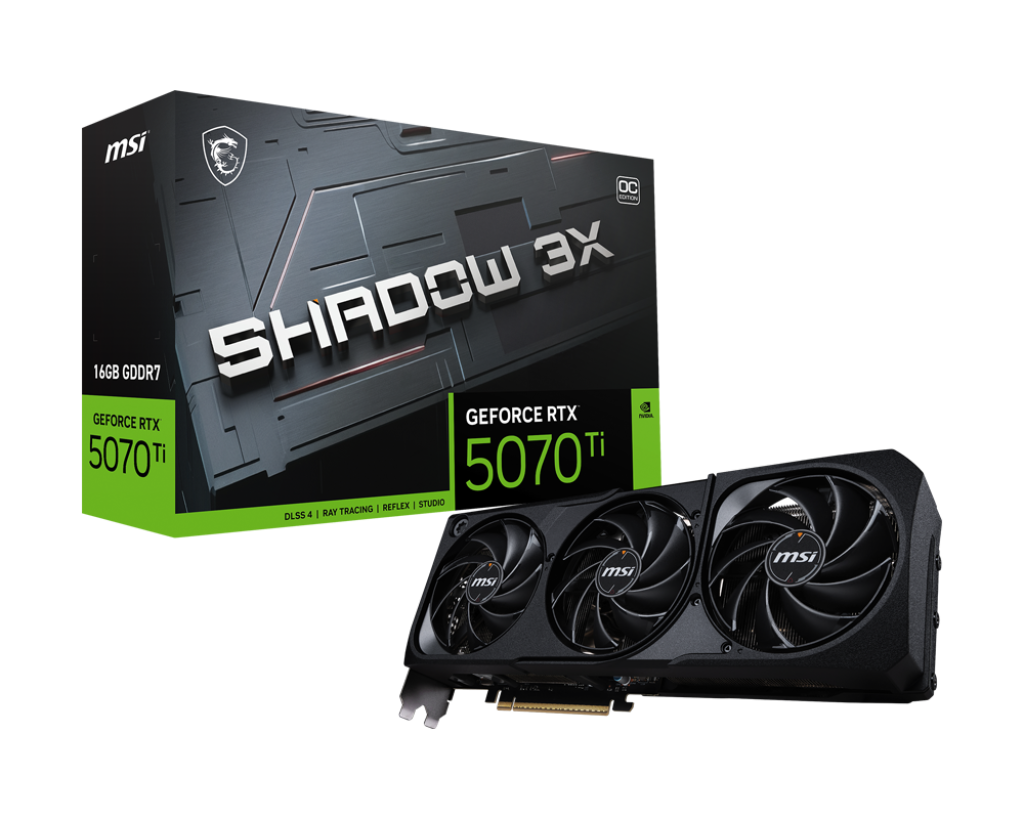
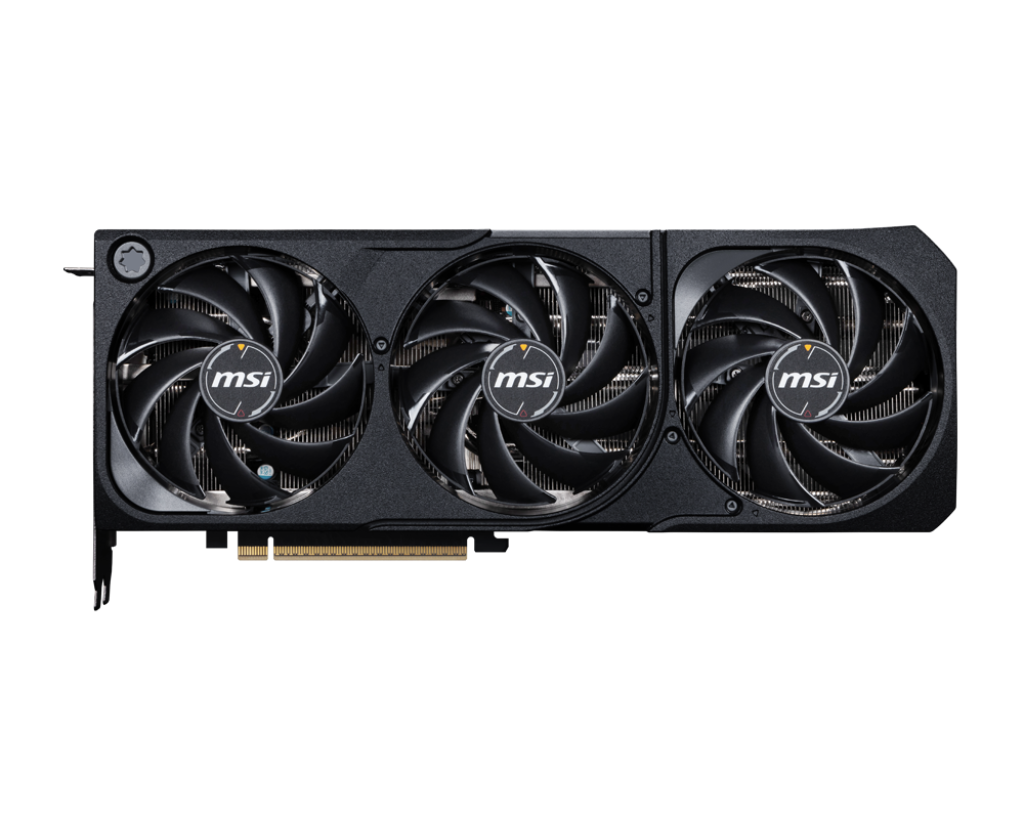
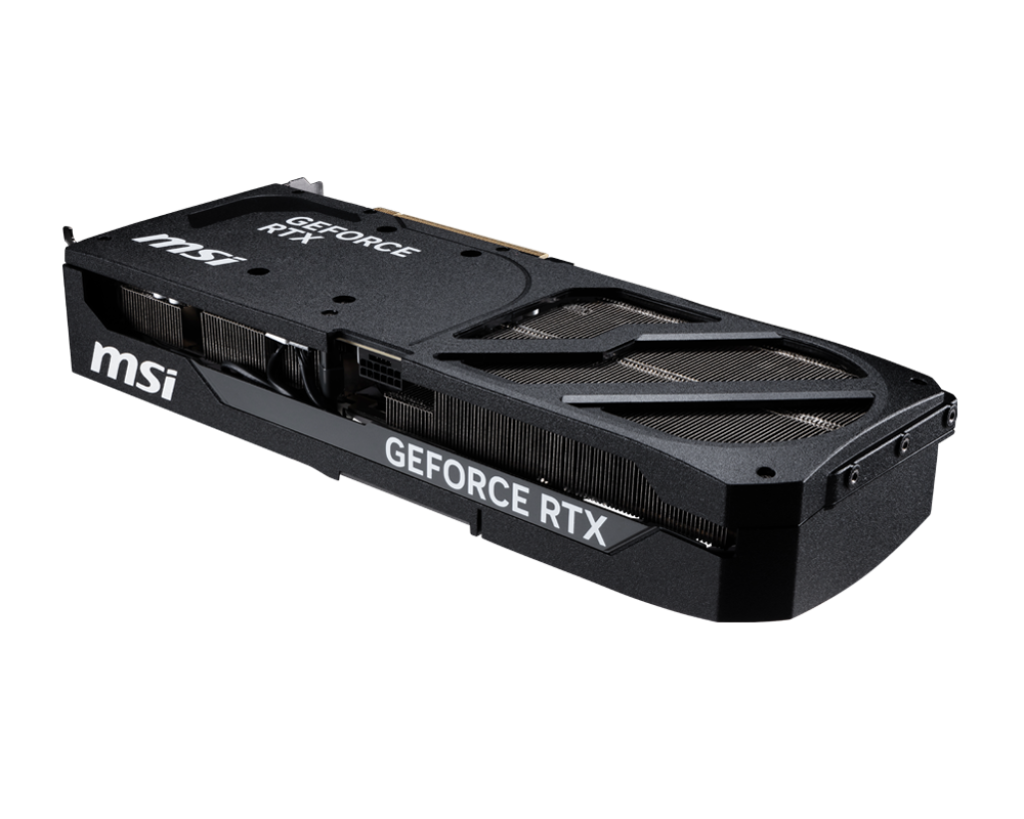
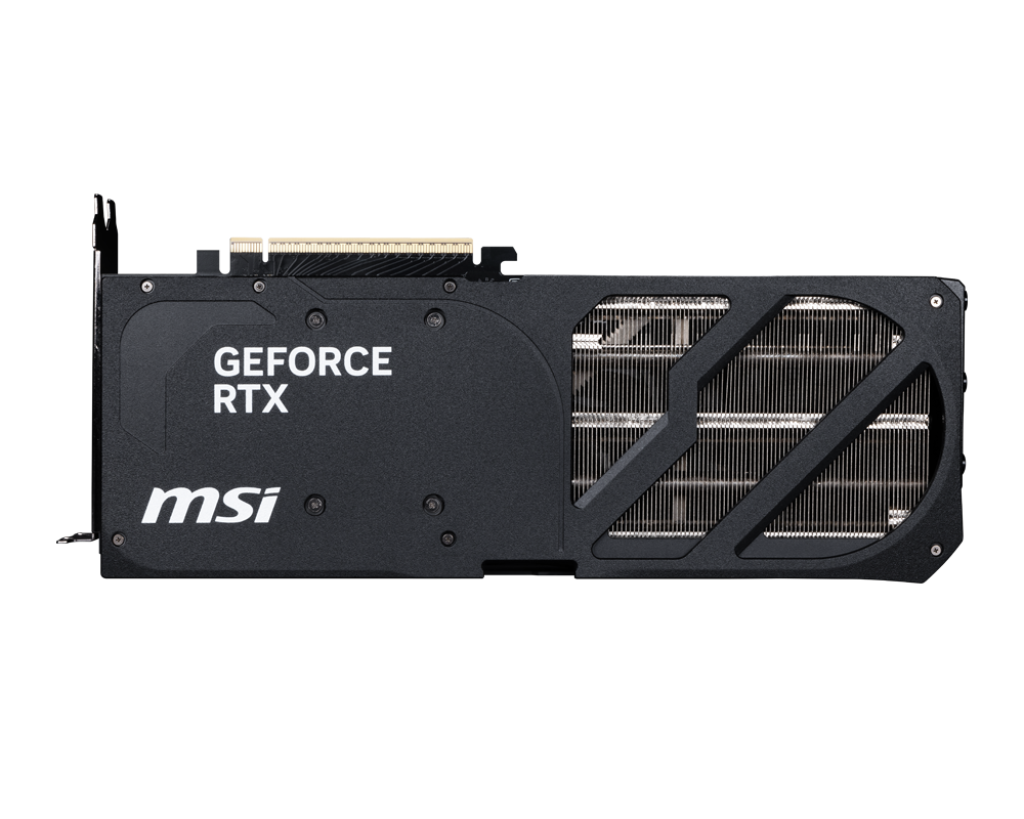

MSI GeForce RTX 5070 Ti SHADOW 3X OC 16GB GDDR7 – High-End Gaming, AI & Content-Creation GPU for Ultimate Performance

Discover the power of the MSI GeForce RTX 5070 Ti SHADOW 3X OC 16GB GDDR7, built on NVIDIA’s Blackwell architecture with 8,960 CUDA cores, 16 GB of ultra-fast GDDR7 memory and a factory overclocked SHADOW 3X triple-fan cooling design. Ideal for serious gamers pushing 1440p and 4K, content creators editing high-resolution video or motion graphics, and AI/ML enthusiasts running GPU-accelerated workflows. Compact enough for many builds yet powerful enough for tomorrow’s games and creative workloads.

91,228.00

277 People watching this product now!

Payment Methods:

avika retails payment options

Description

1. Introduction

In today’s PC-hardware landscape, users demand GPU solutions that blend raw performance with versatility, future-proofing and reliability. Whether you’re a gamer aiming to hit high frame rates in ultra settings, a content creator working in 4K/8K video, or an AI/ML enthusiast building GPU-accelerated workflows, you need one graphics card that can handle it all—and do it well.

Enter the MSI GeForce RTX 5070 Ti SHADOW 3X OC 16GB GDDR7. This card brings the architecture of the next generation, comfortable VRAM capacity, factory overclocking, and MSI’s premium cooling and board-engineering features—all in a package that can serve gaming, creation and AI. For Indian retailers (such as avikaretails.com) and Indian buyers, this card represents a compelling high-end option: premium enough to stand out, yet versatile enough to cover multiple use-cases.

In the sections that follow, we’ll dive into the specification and architectural highlights of the card, its performance across gaming, AI and content-creation workflows, build and practical considerations (especially for Indian market PC builds), feature/benefit breakdowns, strengths and trade-offs, build recommendation scenarios, and finally why this card stands out as a future-proof investment.


2. Specification & Architectural Highlights

Understanding what’s under the hood helps you appreciate the value and performance potential.

2.1 Core Architecture

  • The RTX 5070 Ti is built on NVIDIA’s Blackwell architecture in the GeForce RTX 50 series. SMC International+4Wikipedia+4MSI+4

  • It supports PCIe 5.0 x16 interface, ensuring maximum bandwidth for data transfer between CPU/system and GPU. Vishal Peripherals+1

  • It uses GDDR7 memory (in this card, 28 Gbps speed) on a 256-bit memory bus—providing very high memory bandwidth. Vishal Peripherals+1

  • It supports advanced features such as DLSS 4, RT cores for ray tracing, Tensor cores for AI/compute tasks. MSI+1

2.2 Key Specification Highlights

Based on MSI’s official specs and Indian dealer listings:

  • CUDA Cores: 8,960 units. MSI+1

  • Memory: 16 GB GDDR7; Memory Speed: 28 Gbps; Memory Bus: 256-bit. Vishal Peripherals+1

  • Core Clock / Boost Clock (factory overclocked): “Extreme Performance” up to 2497 MHz (via MSI Center); Boost clock ~2482 MHz. MD Computers+1

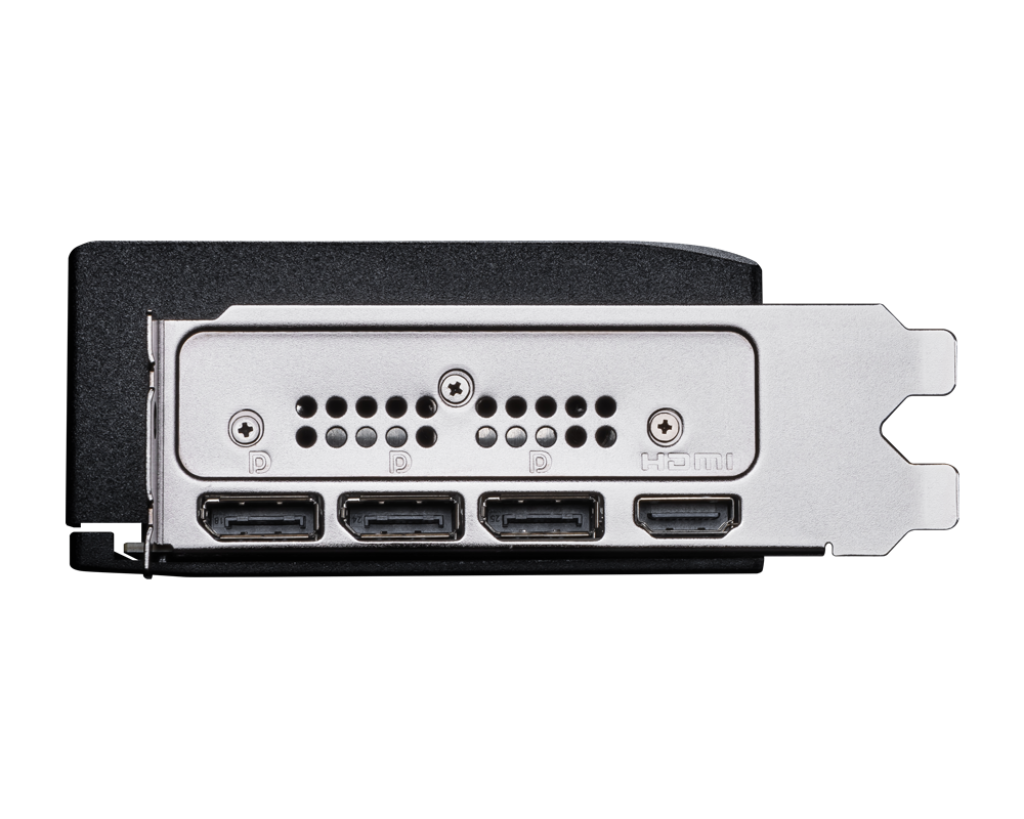
  • Interface/Outputs: 3× DisplayPort 2.1b + 1× HDMI (HDMI supports up to 4K 480Hz or 8K 120Hz with DSC) in many listings. Vishal Peripherals

  • Power and Physical: Approx. 300 W GPU power consumption for many listings; recommended PSU ~750 W for full system. Vishal Peripherals

  • Advanced board design: MSI’s SHADOW 3X cooling (triple-fan), TORX Fan 5.0, nickel-plated copper baseplate, reinforcing backplate with airflow vent. SMC International

2.3 What These Specs Mean

  • With 16 GB of VRAM and high memory bandwidth, the card can handle large textures, high-resolution gaming, heavy creative workloads and AI model data sets.

  • The high core count (8,960) ensures strong rasterization and compute performance across gaming and creation.

  • Factory overclocking gives you extra performance out of box without needing to push manual tuning.

  • The output and interface support (DP2.1b, HDMI2.1b, PCIe5.0) ensures you’re not bottlenecked by connectivity and can adopt high refresh/8K/ultra wide displays now or later.

  • The high power requirement and large board mean you’ll need a well-balanced system (PSU, cooling, airflow) to fully exploit it—but that’s true of any premium GPU.


3. Gaming Performance: Play Hard & Smart

For gamers seeking the best experience, this GPU offers significant advantages across multiple resolutions and scenarios.

3.1 1440p Gaming (2560×1440)

1440p has become the “sweet spot” for many gamers: high fidelity visuals and high refresh rate support (144Hz, 165Hz, 240Hz) without the full burden of 4K. With this card:

  • You’ll be able to crank ‘Ultra’ or ‘High’ settings in AAA titles, enable ray tracing, and still hit high frame rates thanks to the 8,960 cores and high memory bandwidth.

  • The presence of DLSS 4 means you can effectively render at slightly lower resolution and upscale with AI, thereby improving framerates while retaining visual fidelity.

  • For competitive titles (Valorant, CS2, Apex Legends), you’ll easily hit 200-300+ FPS (with suitable monitor/CPU) and enjoy ultra-smooth motion, minimal input lag and very high refresh experiences.

3.2 4K Gaming (3840×2160)

For more immersive setups (4K monitors or gaming on large screens), this GPU continues to shine:

  • The 16 GB VRAM ensures you’re not bottlenecked by memory when using high-res textures, large maps, ultra detail settings.

  • With DisplayPort 2.1b/HDMI 2.1b capable outputs, you can pair with high refresh 4K monitors or next-gen TVs.

  • You’ll get excellent frame rates in many titles at 4K with ray tracing enabled—especially when combined with DLSS. While the absolute top frame counts will of course still go to higher-tier GPUs, this card offers excellent value/performance for high-resolution gaming.

  • For gamers who may upgrade display in the future to 4K@144Hz+, ultra-wide or 8K, this card is well-positioned.

3.3 Ultra-Wide / 8K Entry / VR

  • The DisplayPort 2.1b output supports very high bandwidth (e.g., 8K @120 Hz or 4K @480 Hz with DSC) in many listing specifications. Vishal Peripherals

  • For ultra-wide monitors (34-38″+), VR or immersive gaming setups, this GPU gives you more headroom than many mid-tier cards.

  • If you plan to upgrade over the next few years (to 8K monitors, immersive VR, AR etc.), this GPU offers significant future-proofing.

  • That said, native 8K gaming remains niche today and will require optimisation (DLSS, lowered settings) in many titles—but this card gives you a strong stepping-stone.

3.4 Competitive / eSports Use-Case

While this is a high-end card, it also excels for competitive gamers:

  • With its core count and high memory bandwidth, it ensures high frame rates and low latency in competitive scenarios.

  • Its strong cooling and factory OC variant help maintain stable performance during long sessions.

  • It’s “SFF-Ready” (as per MSI marketing for this board) meaning you could build a compact high-end rig for LAN or tournament style setups. SMC International

  • So for users who game, stream, and even game while editing or producing content, this card covers multiple bases.

3.5 Practical Perspective

  • If you’re upgrading from an older card (e.g., RTX 30-series or earlier), you’ll see a noticeable jump in performance, responsiveness and features.

  • For 1440p high-refresh build: This card gives headroom for future titles and display upgrades.

  • For 4K: It achieves excellent value—though for “ultra-max everything at 4K+” there are still higher tier cards—but those come at much higher cost.

  • From a retailer listing standpoint: emphasise that “this is not just for 1080p or 1440p—this is built for high refresh 4K now, and future display setups tomorrow.”


4. AI, Deep Learning & Content Creation Workflows

While many focus only on gaming, modern GPUs like the RTX 5070 Ti serve as workhorses for creators, AI/ML practitioners and productivity power-users.

4.1 AI & Deep Learning

  • Thanks to the Blackwell architecture, the card includes advanced Tensor cores (5th generation) and RT cores – which accelerate AI tasks, neural rendering, upscaling, generative workflows.

  • With 16 GB of VRAM and high memory bandwidth, you can work with larger datasets, bigger neural networks, heavier inference or training workloads than many lower-VRAM cards.

  • For hobbyist AI developers (local model training, inference, GPU-accelerated pipelines) this card offers very credible headroom.

  • Creators using AI features (e.g., content creation tools with AI filters, generative video, AI upscaling) will benefit from this extra performance and memory buffer.

  • For streaming setups that incorporate AI overlays, real-time background replacement, AI-powered effects, the GPU gives excellent support.

4.2 Video Editing, Motion Graphics, 3D & Rendering

  • With 16 GB VRAM, you can confidently edit 4K, 6K or even 8K footage with multi-layer effects, color grading, motion graphics, GPU-accelerated features in software like Adobe Premiere Pro, DaVinci Resolve, After Effects, Blender.

  • Real-time playback, effects rendering, AI-powered tools (denoising, smart upscaling) will run faster and more smoothly with this GPU.

  • For 3D modelling, animation, rendering engines (Cycles, Octane, Redshift) benefit from the high CUDA core count and memory throughput.

  • For streaming or live content creation (streaming gameplay while editing, switching scenes, using GPU for encoder and DP/OBS etc) the card offers strong multi-tasking capabilities.

4.3 Mixed Workflow & Productivity

  • For users who game, stream, edit videos and use AI-enabled apps, this card gives a unified platform—no need separate workstation GPU vs gaming GPU.

  • In a home-studio or creator setup, you can build one system that handles gaming, editing, streaming, AI without needing a second dedicated PC.

  • The SFF-Ready design also means you can build a compact creator/gaming workstation that doesn’t take up the larger space of a full-tower rig.

In marketing terms: “One GPU for gaming, creation, AI – future-proof your system for years of content.”


5. Build & Practical Considerations (Indian Market Focus)

Buying a high-end GPU in India involves extra concerns: case size, airflow in Indian ambient conditions, PSU & power quality, local warranty/inventory, pricing.

5.1 Case & Form Factor

  • The MSI SHADOW 3X OC board is relatively large (card dimensions for one listing: 303 x 121 x 49 mm) and thickness ~2.5-3 slots as per one spec. Vishal Peripherals+1

  • Although marketed as “SFF-Ready” for enthusiast builds, you need to check your case’s GPU clearance, slot availability, airflow path, cable-routing.

  • Ensure your case offers good airflow (front intake, bottom intake, rear/top exhaust) especially in Indian homes where ambient temperature may be higher.

  • For compact builds (mini-ITX / mATX) ensure enough clearance for triple-fan cooler, power connectors and neighbouring components.

5.2 Power Supply & System Matching

  • Many listings recommend a 750 W PSU for full system with this card. Vishal Peripherals+1

  • Choose high quality PSU (80 Plus Gold or Platinum) from a reputable brand (Corsair, Seasonic, Cooler Master, Antec) with good Indian warranty support.

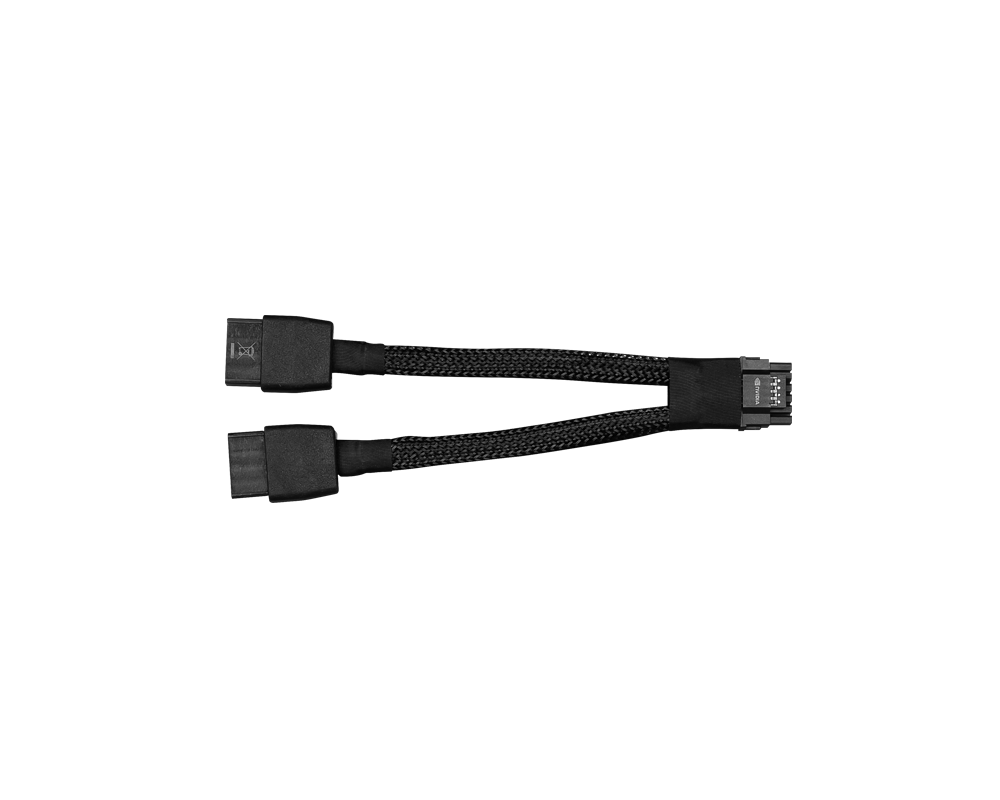
  • Ensure the PSU has the correct connector (some listings show 1×16-pin power connector) and adequate cable routing, as well as headroom for potential future upgrades.

  • Indian mains power can fluctuate—surge protection, good PSU ventilation and clean power matter for long-term reliability.

5.3 System Balance: CPU, RAM, Storage

  • To avoid bottlenecking the GPU’s performance, pair with a capable CPU: e.g., Intel Core i7/i9 14th/15th gen or AMD Ryzen 7/9 7000/8000 series depending on platform preference.

  • Use fast RAM (ideally DDR5 with speeds depending on platform) and at least 32 GB for creative workflows; 16 GB for gaming only may suffice but creators will prefer more.

  • Use a fast NVMe SSD (1 TB+ recommended) for OS/games/editing projects—PCIe 4.0 or PCIe 5.0 if budget and board support allow.

  • Ensure BIOS firmware & drivers are up-to-date, especially when using new architecture like RTX 50-series.

5.4 Cooling, Noise & Thermal Considerations

  • The SHADOW 3X triple-fan design helps manage thermals—but case airflow is still critical. For Indian homes/offices with higher ambient temps, maintain margin of ~5-10 °C.

  • Review noise levels: while MSI’s TORX Fan 5.0 is optimized, heavy loads will increase fan noise. Add case fans or pick chassis designed for quieter operation if noise is a concern (for streaming/creation setups).

  • Maintain the system: clean dust filters, cable-tie unused wires, open vents—especially in dust-heavy & warm Indian environments.

5.5 Availability, Pricing & Warranty (India)

  • Check Indian pricing closely: import duties, GST, shipping, local inventory can cause variances. For instance one Indian listing shows ₹85,400 for this card. MD Computers

  • Warranty: Ensure it’s genuine and supported by MSI India; check service-centre locations, registration process.

  • Authenticity: Ensure product is genuine (official MSI board partner), box sealed, serial number matches. Since high-end GPUs are high value, counterfeits or grey-imports may occur.

  • Market positioning: For avikaretails.com, emphasise that this is premium board, full features included, factory OC variant—and not a cut-down cheaper model.


6. Feature & Benefit Breakdown

Let’s map key features of the MSI GeForce RTX 5070 Ti SHADOW 3X OC to end-user benefits.

Feature Benefit to User
16 GB GDDR7 memory Handles high-resolution textures, 4K/8K gaming, large creative projects and future-proofing.
8,960 CUDA cores / Blackwell architecture High performance for gaming, rendering, AI/ML compute – one card for many tasks.
Factory overclock (OC) variant Extra performance out of box with no manual tuning needed; smoother high-FPS gaming.
Triple-fan “SHADOW 3X” cooler with TORX Fan 5.0 & nickel-plated copper baseplate Better cooling, lower temps, less thermal throttling—longer sustained performance.
DisplayPort 2.1b + HDMI 2.1b outputs Ready for high refresh monitors, 4K/8K displays, VR and future display tech.
PCIe 5.0 interface Ensures maximum system bandwidth, better future-proofing as newer motherboards adopt PCIe5.
SFF-Ready board design (though large) Gives flexibility for more compact builds than some giant triple-slot cards.
Strong ecosystem support (drivers, MSI Center software, Afterburner) Easier monitoring, tweaking, overclocking, and maintenance for enthusiast users.

These benefit statements can be used directly in your listing on avikaretails.com: for example “16 GB GDDR7 – future-proof your editing and high-res gaming”.


7. Strengths, Trade-Offs & What to Consider

Strengths

  • A very capable GPU for both gaming and creation—not just for one niche.

  • High VRAM + high bandwidth = comfortable for large workloads.

  • Factory OC and premium cooling means better out-of-box performance and more headroom.

  • Excellent connectivity/output options ensuring display/monitor compatibility today and tomorrow.

  • With proper system build, offers many years of relevance.

Trade-Offs / Considerations

  • Price: Being a high-end model, it comes at premium price — buyers must ensure rest of system is balanced to avoid spending on GPU while bottlenecking elsewhere.

  • Power & size: High performance means high power draw and larger board—ensuring PSU, case and cooling are up to the task is important.

  • Diminishing returns: If you’re only gaming at 1080p or doing minimal content creation, you might not see full benefit of this card and could opt for a lower tier card for better value.

  • Availability/stock: In Indian market, pricing, import taxes and warranty support vary—ensure listing emphasises authorised product.

  • Market competition: Always compare alternatives (both from NVIDIA and AMD) to ensure you’re getting best value performance for your budget.

  • Future GPU releases may change value proposition: but this card still stands strong for years ahead.

What to Ask / Verify

  • Check exact board dimensions and consider whether your case will fit the card with clearance and airflow.

  • Check PSU connector and power headroom (e.g., 16-pin connector vs dual 8-pin).

  • Check driver/firmware support and warranty status in India.

  • Check whether your monitor/display supports high refresh and high resolution to make full use of the GPU.

  • For creators/AI users: check whether your software tools (Premiere Pro, Resolve, Torch, etc) utilise the GPU’s features (CUDA, Tensor cores) effectively.


8. Ideal Build Scenarios & Recommendations for Indian Buyers

Here are sample build recommendations and advice tailor-made for Indian buyers (Gurugram/Haryana region, etc) to pair with this GPU to extract its full potential.

8.1 Build Scenario: High-End Gaming & Streaming PC

Goal: 4K gaming, high refresh, streaming and casual content creation.

  • Case: Mid to full tower with strong airflow (e.g., NZXT H7 Flow, Fractal Meshify 2, Cooler Master H5).

  • Motherboard: e.g., Intel Z790/Z890 (or future compatible) or AMD X670E/B650 board. Ensure PCIe 5.0 x16 slot, strong VRM for high-end CPU.

  • CPU: Intel Core i7-14700K/14900K or AMD Ryzen 7 7800X3D/7900X depending on brand preference.

  • RAM: 32 GB (2×16) DDR5-6000+ or fastest supported by board.

  • Storage: 1 TB NVMe SSD (PCIe 4.0 or 5.0) plus optional 2 TB secondary drive for games/media.

  • GPU: MSI GeForce RTX 5070 Ti SHADOW 3X OC 16GB.

  • PSU: 750 W or higher, 80 Plus Gold or better, quality brand.

  • Monitor: 4K resolution at 144Hz or 1440p at 240Hz with G-SYNC/FreeSync support.

  • Additional: Good case airflow, intake/exhaust fans, cable management, noise consideration if streaming.

8.2 Build Scenario: Creator / Workstation + Gaming Hybrid

Goal: Edit 4K/6K video, 3D modelling/rendering, AI experiments + play games in evenings.

  • Case: Mid/full tower with good cooling, possibly sound-insulated if used in studio environment.

  • Motherboard: Similar high end; may prefer boards with more PCIe slots for capture cards, audio cards etc.

  • CPU: Possibly higher multi-threaded-capable CPU (Intel Core i9 or AMD Ryzen 9) if editing/rendering-heavy.

  • RAM: 64 GB recommended for heavy creation workloads; above 32GB.

  • Storage: High-speed NVMe (2 TB) plus high-capacity HDD/SSD for archival media.

  • GPU: Same MSI RTX 5070 Ti for performance on creative apps + games.

  • PSU: 850 W or more if additional cards/streams.

  • Monitor: 4K at 144Hz or dual monitors (one 4K for editing, one 1440p for gaming).

  • Additional: Good cooling, quiet fans, consider AIO cooler for CPU if thermal noise matters.

8.3 Indian Market Considerations

  • In Gurugram/Delhi NCR region, ambient temperatures can be high; ensure case is placed away from heat sources, with space for airflow.

  • Indian power grid can have fluctuations: use UPS or surge protector to protect high-end systems.

  • Local service: ensure MSI authorised service centre in your city; mention warranty registration in listing.

  • Price sensitivity: Given import duties/GST, promote bundles/financing to assist buyers; emphasise value over time (“this GPU will serve you for years”).

  • Example listing tip for avikaretails.com: “Price ₹85,400 (subject to availability) – comparable cards may cost more or offer less VRAM/features.” (based on one Indian listing) MD Computers

  • Offer build guidance and FAQs: e.g., “Will it fit my case? What PSU do I need? What monitor should I pair?” This helps convert non-expert buyers.


9. Why This Card Stands Out & Conclusion

When selecting a high-performance graphics card, many buyers ask: is this the one that will last me? Will it cover gaming, creation and future display upgrades? The MSI GeForce RTX 5070 Ti SHADOW 3X OC 16 GB GDDR7 answers that with a resounding “yes”.

What Makes It Stand Out

  • High VRAM (16 GB): Many cards offer 8–12 GB; for future games, 4K/8K, creators and AI workloads, 16 GB is a smart investment.

  • Premium architecture & features: Blackwell architecture, GDDR7 memory, PCIe 5.0, advanced outputs—features that future GPU generations may include, but this card already has.

  • Versatile use-case: Not only for gaming—equally valid for editing, 3D modelling, AI/ML, streaming. The “one card for many tasks” story works.

  • Factory OC + premium cooling: MSI’s SHADOW 3X OC design ensures you get extra performance and reliability out of box.

  • Future-proofing: With modern connectivity and memory, you’re better prepared for display upgrades (4K @144Hz+, ultra wide, 8K) and heavier workloads in coming years.

Conclusion & Call to Action

If you’re building a new PC today, and you want a graphics card that not only delivers excellent gaming performance but also handles editing, streaming, AI, and meets future-display aspirations—then the MSI GeForce RTX 5070 Ti SHADOW 3X OC 16 GB GDDR7 is a standout choice. For Indian buyers, pair it with a strong PSU, good case airflow and a capable CPU, and you have a system that will remain relevant for many years.

In your listing on avikaretails.com, emphasise:

  • The premium memory + core count.

  • The creator + gaming versatility.

  • The premium build (MSI SHADOW 3X OC).

  • Compatibility notes (power supply, case size).

  • Future-proofing for display upgrades.

  • Warranty/authenticity assurance.

Don’t just buy a GPU — invest in a platform that can handle the next generation of games, creative workflows and display tech. Grab the MSI GeForce RTX 5070 Ti SHADOW 3X OC now and build your future-ready PC today.

Customer Reviews