





Office PC vs Home PC: What’s the Real Difference and Why It Matters

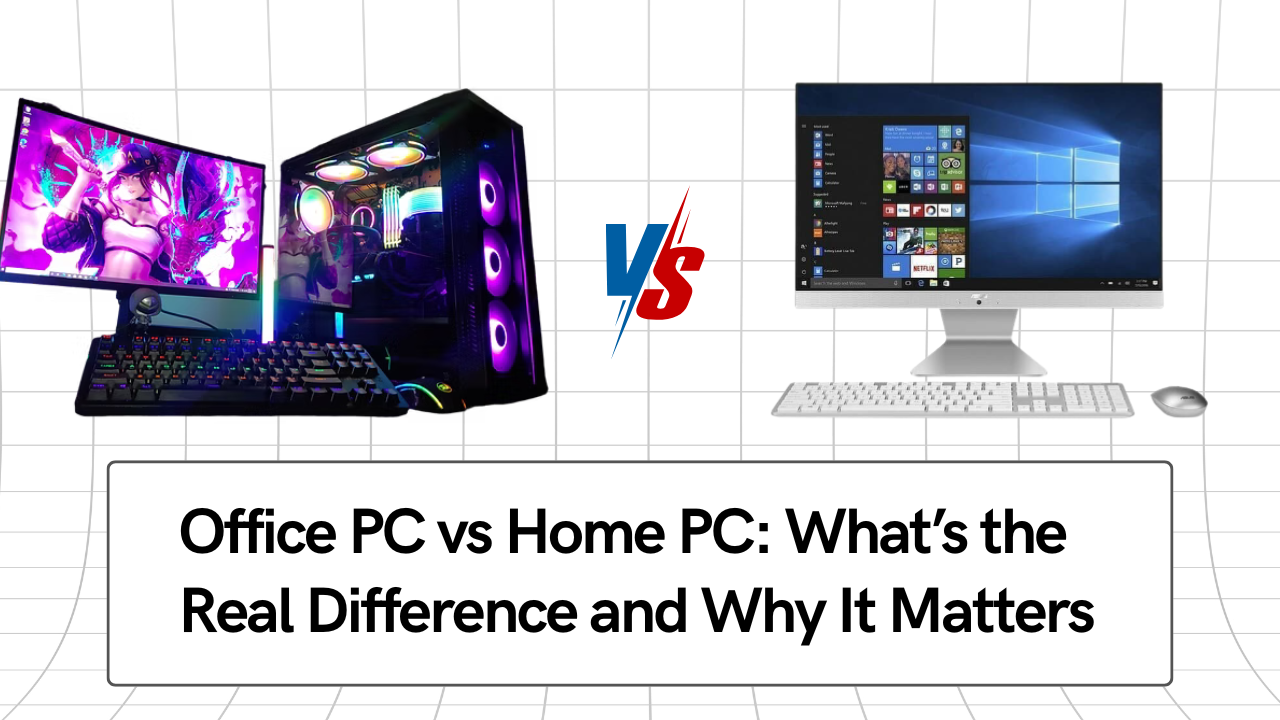
Office PC vs Home PC: What’s the Real Difference and Why It Matters: The distinction between a home computer and an office computer is not based on marketing jargon. Design priorities, component choice, workload tolerance, and long-term dependability are all different. The use of consumer-grade systems for professional workloads is the root cause of many office performance complaints.
The real, technical, and practical distinctions between home and office PCs are discussed in this article, with an emphasis on longevity, stability, and overall ownership costs.
1. Design Objective: Reliability vs Convenience
The primary goal of an office PC is predictable performance under sustained use. These systems are designed assuming:
- Daily usage of 8–10 hours
- Continuous multitasking
- Background services are running all day
- Minimal tolerance for downtime
Home PCs are designed for:
- Intermittent usage
- Short bursts of activity
- Entertainment, browsing, and light productivity
- Lower expectations of uptime consistency
This difference in design philosophy influences every hardware decision that follows.
2. Processor Selection: Sustained Load vs Burst Performance
Office PCs prioritise thermal stability and sustained clock behaviour, not peak boost speeds.
Key differences:
- Office PCs use CPUs that can maintain stable performance over long durations without throttling
- Home PCs often rely on entry-level or consumer CPUs optimised for short, high-speed bursts
In real office workloads (spreadsheets, accounting software, browsers, video calls), consistent single-core performance over time matters more than short benchmark spikes.
A processor that looks adequate on paper can underperform significantly during long work sessions if it cannot sustain clocks due to thermal or power constraints.
3. Motherboard and Platform Quality
Motherboards are one of the most overlooked differences.
Office PCs typically use:
- Higher-quality voltage regulation modules (VRMs)
- Better power filtering
- Chipsets with long-term driver support
- Stable BIOS and firmware update cycles
Home PCs often use:
- Entry-level boards designed to meet minimum specifications
- Limited expansion capability
- Shorter driver and firmware support lifespan
Over time, weak power delivery leads to instability, unexplained slowdowns, and compatibility issues after OS updates.
4. Memory Architecture and Multitasking Headroom
Office workloads are memory-intensive by nature, even if they appear simple.
Office PCs are configured with:
- Higher base RAM capacity
- Support for easy RAM expansion
- Stable memory configurations
Home PCs often:
- Ship with minimum RAM
- Have limited upgrade options
- Suffer performance drops as software demands increase
Insufficient RAM forces the operating system to rely on storage for memory operations, dramatically reducing responsiveness during multitasking.
5. Storage Strategy: Responsiveness vs Cost Saving
Storage choice directly affects productivity.
Office PCs:
- Use SSDs as standard
- Are designed for frequent read/write operations
- Maintain responsiveness under constant access
Home PCs:
- May still include HDDs or small SSDs
- Slow down significantly as storage fills
- Show latency during application launches and file operations
For professional use, SSD-based storage is no longer an upgrade—it is a baseline requirement.
6. Cooling and Thermal Engineering
Office PCs are built with the assumption of continuous heat generation.
This results in:
- Better airflow design
- More reliable cooling solutions
- Lower operating temperatures during extended use
Home PCs:
- Use basic cooling solutions
- Are designed for short usage cycles
- Experience thermal throttling during prolonged workloads
Thermal throttling does not cause crashes; it silently reduces performance, which is why users experience gradual slowdowns rather than failures.
7. Power Supply Quality and Electrical Stability
Power delivery is a critical but often ignored factor.
Office PCs use:
- Higher-quality power supplies
- Better voltage regulation
- Protection against electrical fluctuations
Home PCs often:
- Use cost-optimised power supplies
- Have lower efficiency and protection
- Develop instability over time
Poor power quality contributes to data corruption, random restarts, and reduced component lifespan.
8. Operating System Support and Update Tolerance
Office PCs are selected to:
- Exceed current OS requirements
- Remain compatible with future updates
- Support enterprise and business software reliably
Home PCs often:
- Meet only the minimum OS requirements
- Experience performance loss after major updates
- Receive limited long-term driver optimisation
As operating systems evolve, systems without hardware headroom degrade faster.
9. Downtime Cost and Serviceability
In a business environment, downtime has a measurable cost.
Office PCs are designed for:
- Easier component replacement
- Faster diagnosis and repair
- Minimal disruption to operations
Home PCs:
- Often use proprietary or tightly integrated components
- Are harder to repair quickly
- Increase downtime risk
Even a single day of downtime can exceed the cost difference between a proper office PC and a home PC.
10. Total Cost of Ownership (TCO)
The purchase price is only one part of the cost.
Office PCs:
- Last longer under professional workloads
- Require fewer replacements
- Support upgrades instead of full replacement
Home PCs:
- Degrades faster under continuous use
- Require earlier replacement
- Accumulate higher indirect costs over time
From a business perspective, reliability reduces long-term expenses more than initial savings.
Which One Should You Buy? Office PC vs Home PC
An office PC is the correct choice if:
- The system will be used daily for work
- Downtime affects productivity or revenue
- Long-term stability matters more than upfront cost
- You want predictable performance over several years
A home PC is suitable only when:
- Usage is light and non-critical
- Workloads are intermittent
- Performance consistency is not essential
Using a home PC for office work is one of the most common reasons businesses experience avoidable performance problems.
Final Conclusion: Office PC vs Home PC
Home PCs and office PCs are designed for essentially different uses. Even though their specifications might seem similar, long-term performance is greatly impacted by variations in platform quality, thermal design, power stability, and upgrade strategy.
An office-grade PC is the right tool for the job, not a high-end choice, for professional and business use.
