





Why Your Gaming PC Is Overheating — Causes, Fixes & Cooling Practices

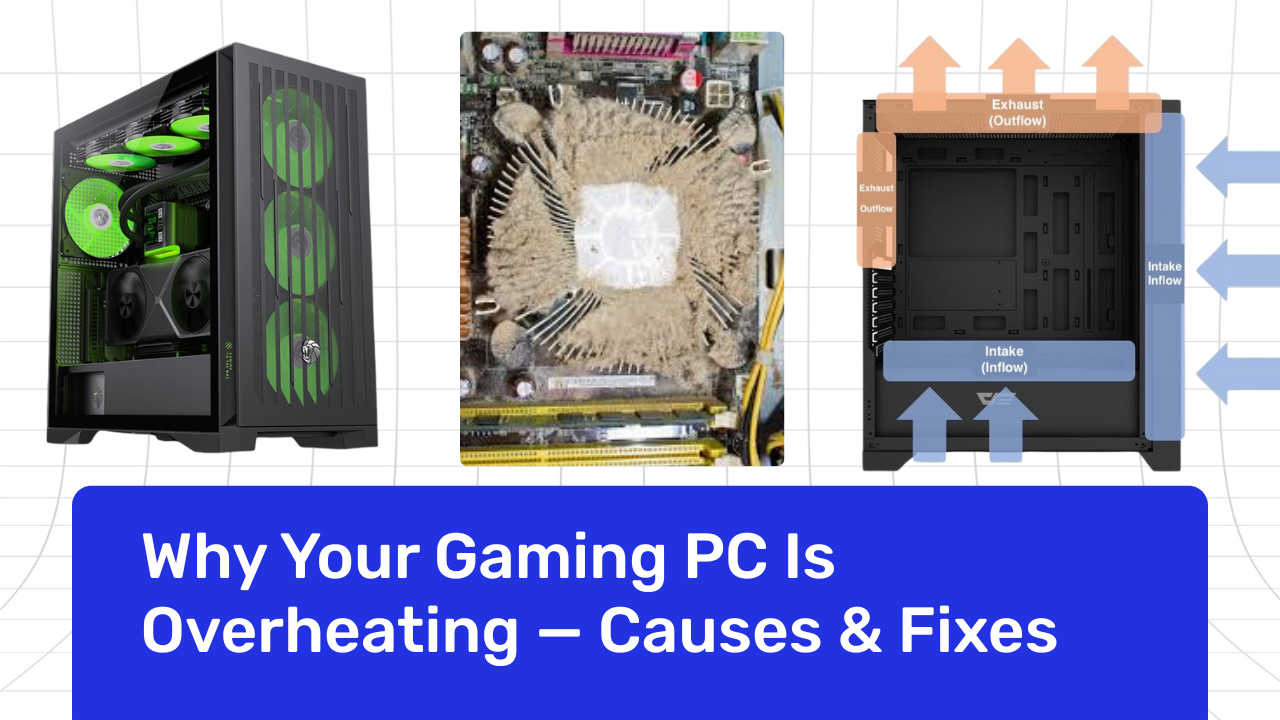
Without a reason, a gaming PC doesn’t often get too hot. When the temperature goes up, the system slows down, games stutter, fans get loud, and eventually it shuts down to protect itself. Overheating is one of the most common issues Indian gamers face because of our warm climate, dust-heavy environment, and long gaming sessions. The good news is that most heat problems are preventable, and once you understand what causes them, keeping your PC cool becomes easy.
The Real Reasons Your Gaming PC Overheats
The majority of overheating problems are caused by a mix of airflow, dust, load, or antiquated cooling. The silent killer of performance is inadequate airflow. Heat starts to accumulate inside a cabinet when it is unable to move hot air out and fresh air in. Particularly during extended gaming sessions, even high-end components have trouble with trapped heat. Compact cabinets or systems with just one or two weak case fans exacerbate this issue.
Another significant offender is dust, particularly in India. It blocks the airflow that your components depend on by settling on fans, heatsinks, vents, and filters. Temperatures can be considerably raised by a layer of dust on your GPU fans or CPU cooler. Many users neglect to clean the interiors of their PCs for months, and by the time they become aware of problems, temperatures have risen to dangerously high levels.
Because today’s games are more demanding than ever, your CPU and GPU must operate at higher loads for longer. Cyberpunk, Starfield, and competitive shooters are examples of games that force components to operate at 90–100%, producing heat quickly. That heat has nowhere to go if your cooling system isn’t powerful enough. Because thermal paste eventually dries out and loses its capacity to transfer heat effectively, older systems frequently have trouble with this.
Lastly, low-airflow cases or weak coolers are common in low-cost prebuilt PCs. Although these systems appear attractive on paper, they are made with little cooling in order to save money. Overheating is practically a given when you add the warm room temperatures of India.
How to Know if Your PC Is Actually Overheating
Before a computer overheats to a dangerous level, it always exhibits early warning signs. During gameplay, you may experience abrupt drops in frame rate, strange system lag, fans operating at maximum speed, or an unusually hot cabinet. After extended sessions, games may freeze, and in more difficult situations, the computer may restart itself or display blue-screen errors. These are all signs of thermal throttling, the process by which parts slow down to prevent heat damage.
Practical Fixes That Actually Work
Cleaning your computer is the first and best course of action. Temperatures can be lowered by several degrees just by removing dust. Using compressed air or a blower, gently clean the intake vents, exhaust fans, CPU cooler, GPU shroud, and dust filters. This should be done every 30 to 45 days in many Indian households. The next big solution is to improve airflow. A smooth cooling path is produced by a balanced arrangement where hot air exits from the top and back and cool air enters from the front. Increasing the number of case fans in your cabinet will instantly improve airflow. Because tangled cables limit air circulation inside the cabinet, proper cable management is also crucial.
Replacing the thermal paste on your CPU (and occasionally GPU) can greatly raise temperatures if your system is a few years old. Heat can move more quickly when the chip and cooler have improved contact thanks to fresh thermal paste. Lastly, you can keep your system cool under high load by modifying your fan curve. Custom fan settings are available on the majority of motherboards and GPUs, guaranteeing that fans accelerate sooner rather than waiting for a temperature spike.
Long-Term Cooling Solutions for Better Stability
You might need more powerful cooling hardware if, despite simple fixes, your computer continues to run hot. Because it permits more air to flow freely, switching to a high-airflow cabinet can significantly improve performance. Additionally beneficial are high-quality fans with superior bearings and pressure ratings, particularly for radiator or front intake configurations. For processors, installing a liquid cooler or upgrading to a better air cooler results in more stable temperatures when playing games, editing, or streaming.
Modern CPUs are more easily handled by liquid coolers (240mm or 360mm), particularly in warm climates. It also helps to keep your PC in a ventilated area instead of inside a closed desk compartment. Leaving a few inches of space around the cabinet allows heat to escape naturally and prevents hot air from recirculating.
Maintaining a Cool PC in Indian Conditions
Indian climate makes cooling more challenging, especially during summer. Simple habits like keeping your PC slightly elevated from the floor, avoiding direct sunlight, running a room fan during gaming, and maintaining dust-free surroundings can go a long way. These small adjustments add up and help keep your system stable year-round.
Final Conclusion: Why Your Gaming PC Is Overheating
Overheating is an indication that your system needs more airflow, cleaner parts, or better cooling, not just a technical issue. The solutions are simple once you know the causes. Higher FPS, improved stability, and a longer hardware lifespan are all benefits of a cool PC. Even in challenging Indian conditions, your gaming PC can continue to be fast, quiet, and dependable with careful maintenance and a few upgrades.
